Hexagon Measurement SystemsNo matter what Hexagon measurement equipment or software you use, we want to hear your ideas and suggestions on how we can improve.
Thanks for your assistance in helping us shape the future. |
|


 Unprotect Protected Mode while Program is Open
Allow programmer to unprotect a program when program is ran in Protected Mode.
Current State: In protected mode, if an operator runs a part and the part is out of spec or there needs to be further analysis, the programmer has to close out the program, unprotect PC-DMIS, then re-run the part to do the analysis.
Real-life situation: Program was ran in Protected Mode and flatness was out of tolerance. In order to add graphical analysis to the report to see "where" the high and low points are, I need to close out the program, enter the password to unprotect the program, then open the program again, add the graphical analysis, save, then rerun the part.
Future State: To save the steps and time, it would be nice to have the ability to unprotect PC-DMIS when the program is still open, add the necessary adjustments, save, and re-enter Protected Mode.

When Machine shuts off Unexpectedly - Add a Save feature (In case Machine can't be restarted)
When Machine shuts off, Currently you get 2 options, 1: OK(If machine won't turn back on it'll keep popping error up) or 2: Exit. Please Add a 3rd option to Save

Reference Dimensions - No Tolerance & Secondary Reporting Options
Two main attributes:
The ability to toggle tolerances off. (Basic and Reference dimensions)
The ability to have a second set of dimensional reporting options or several reporting profiles (Dimension Color Settings)
This helps with quality control. Right now, we either 'open' tolerance or don't report. There are instances where it is desirable to have values of basics and references with-out it hindering production mentality/reactions. Often I also output XYZ coordinates for In-Car and zero tolerance them, as the T-value is what's important/desired.

Browse Button in the “New Measurement Routine” Dialog
It would be nice to have a browse Button in the “New Measurement Routine” Dialog to create a new Routine in a Subfolder from the “Default Measurement Routine Directory”.
A lot of customers have a Folder Structure depend on their Customers, for Example:
Measurement Routines
- Volkswagen
- Audi
- BMW
Etc. Actual it’s not possible to create a new Routine in the right Folder directly. Each new Routine exists as file corpse in the “Default Measurement Routine Directory” after Save as in a Subfolder.

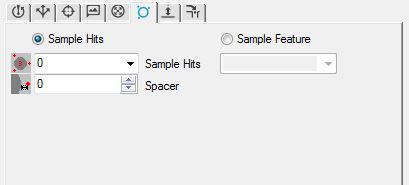
Sample Hits/Feature for Adaptive Scanning
Please add sample hits/feauture options to the adaptive scanning auto circle properties.

Send an email alert...
As of yesterday, I'm now programming in an office at the opposite end of the factory to the CMM.
The operator isn't always at the CMM especially if it is a long program.
Could PC-DMIS be set to send an email out to specified users when:
1) the program stops when the probe crashes
2) the probe needs manually removing/inserting
3) the program reaches the end
Bring back an old function that when viewing a report in the report window you could be taken back to that dimension in the program for editing.
this function was in older versions. quite handy when proving a program or when dimensions get updated. Way faster than the find function.

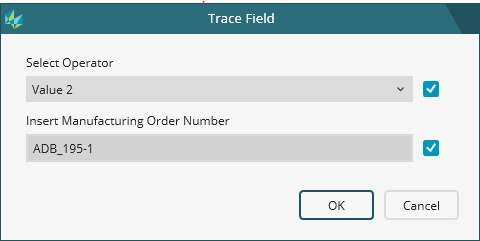
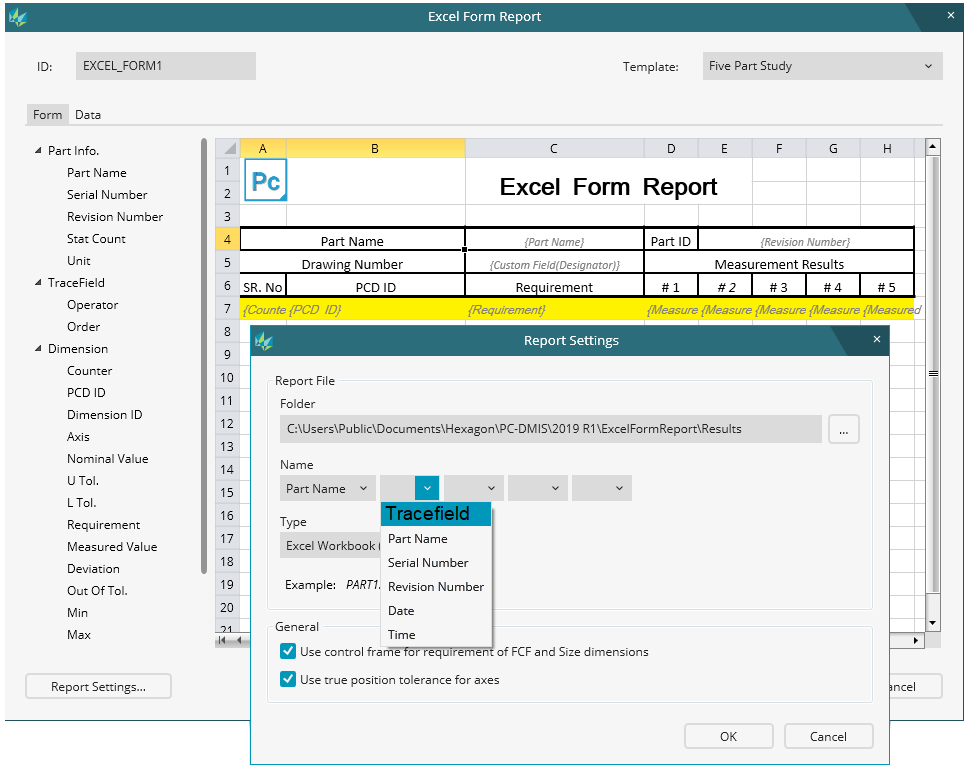
Excel form report file name
As a Pc-Dmis User i wish to be able to use various trace field's from the measuring routine in the naming of the excel form report name.


report should print as text pdf (not image) so it can be copied and pasted to other applications
When you print a report as a pdf it should be rendered as text, not an image so that you can copy and past from it to other applications.
خدمة دعم العملاء من خلال UserEcho

