Hexagon Measurement SystemsNo matter what Hexagon measurement equipment or software you use, we want to hear your ideas and suggestions on how we can improve.
Thanks for your assistance in helping us shape the future. |
|


 Cursor Line Highlighted Please
It would be extremely helpful to my aging eyes if the line that the cursor is on is highlighted.

Search for ID's in PDF
KS HUAYU AluTech GmbH - Mr. Löwe
Mr. Löwe would like to have the possibility to search for dimension ID's in PDF's created from PC-DMIS Reporting. Currently he use the default.rtp in rtf format, so that he can search for Dimension ID's. That's important for him, because he has 200-300's of features ad can easly find them by the search function.
But he would prefer to use a report like textonly.rtp, because of the better presentation of of GD&T dimensions. This currently blocked because he cannot search for Dim. Id's.
This can be a usefull function for all report types, textonly either cad reports.

Prevent the Auto Calibration results in the Report
Opition to turn on or off the calibration results from being included in the Report
Probe autocalibrate question from the PC-DMIS user forum.

Avoidance Moves Clearance Cube
We can change the movements for Clearance Cube to UseTipVector or Axis but a more useful tool can be UseFeatureVector ( the movements to clearance cube to use the feature vector and to activate from F5. Avoidance moves does the same thing but it will be useful in clearance cube motions).What do you think?

Program and Revision Change Control
As the Manufacturing Industry heads towards automation and more CMM demand, companies like Boeing are asking for a formal Program Change Control Process such as Siemens Team Center. PC-DMIS should be able to accommodate this need.
When a CMM program is released, it should have an associated revision. When changed/updated for any reason, the prior revision program should be archived, documented change history recorded, and the new revision program released for use.

Bring back Ctrl + Left click to select feature on 2017 R2
In 2017 R2 the ability to press Ctrl + Left click to select a feature has been removed. now you have to go the longer way of right clicking and navigating to the 'move to' option.
bring it back !

can the min or max show the feature out of tolerance instead of it averaging to the measure feature to be acceptable
I'm measuring a cylinder on one of our parts and the max was out of tolerance. the report was not showing it out of tolerance because it takes the average of the min and max. the operator did not catch this and the part was shipped to the customer. is there a was to report the min and max as a out of tolerance feature on the report?
Saving measurement routines (programs) as compressed files.
At our facility we save the "program" for every part that is measured. We started doing this several years ago in order to be able to review the actual "program" that had been processed by inexperienced operators. This practice has continued to this day. We don't often review these saved programs, but this practice has saved more money over the long run than it has cost.
The major "cost" is drive space. This saving uses up lots of disk drive space.
It would be great if we had the option to "save as" a compressed file.

Export results as a CAD model with a program command
It would be nice to export measurement results to CAD automatically with a part program command. I know it can be done manually but you can't always count on remembering to do it. Maybe an addon to the Print command? Include options for auto indexing like the current PDF or Excell output. Alignment and cad format to be used would need to be part of the parameters for this.

Surface scan following the curve on the surface
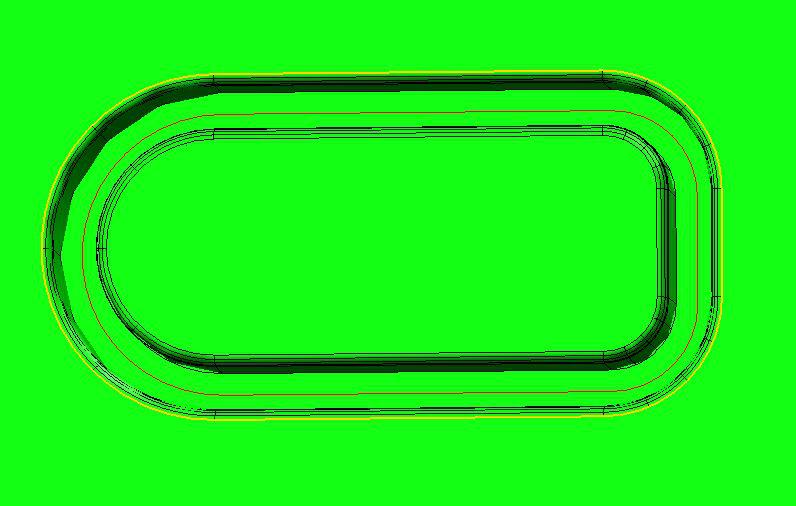
I would like the option to scan the surface following an irregular, or made up of geometric shapes curve (red) that is on that surface all the way around (sample on the picture)
Service d'assistance aux clients par UserEcho

