Hexagon Measurement SystemsNo matter what Hexagon measurement equipment or software you use, we want to hear your ideas and suggestions on how we can improve.
Thanks for your assistance in helping us shape the future. |
|


 Scale behavior with 4k resolution on monitors should be reworked
We have new workstations with 4k monitors but the behavior of PCDMIS was disappointing while switching to the desired resolution with suitable scaling for our monitors.
We are using PCDMIS 2019 R2, with NVIDIA Quadro P4000
Here some screenshots for demonstration
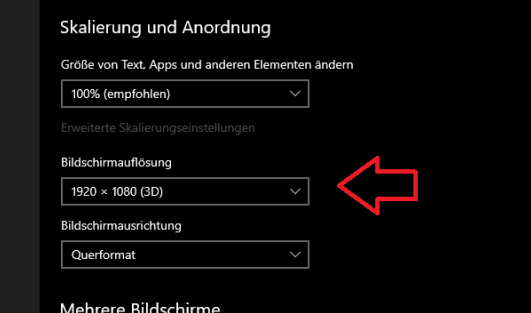
Current Windows settings with 1920x1080 / 100%.
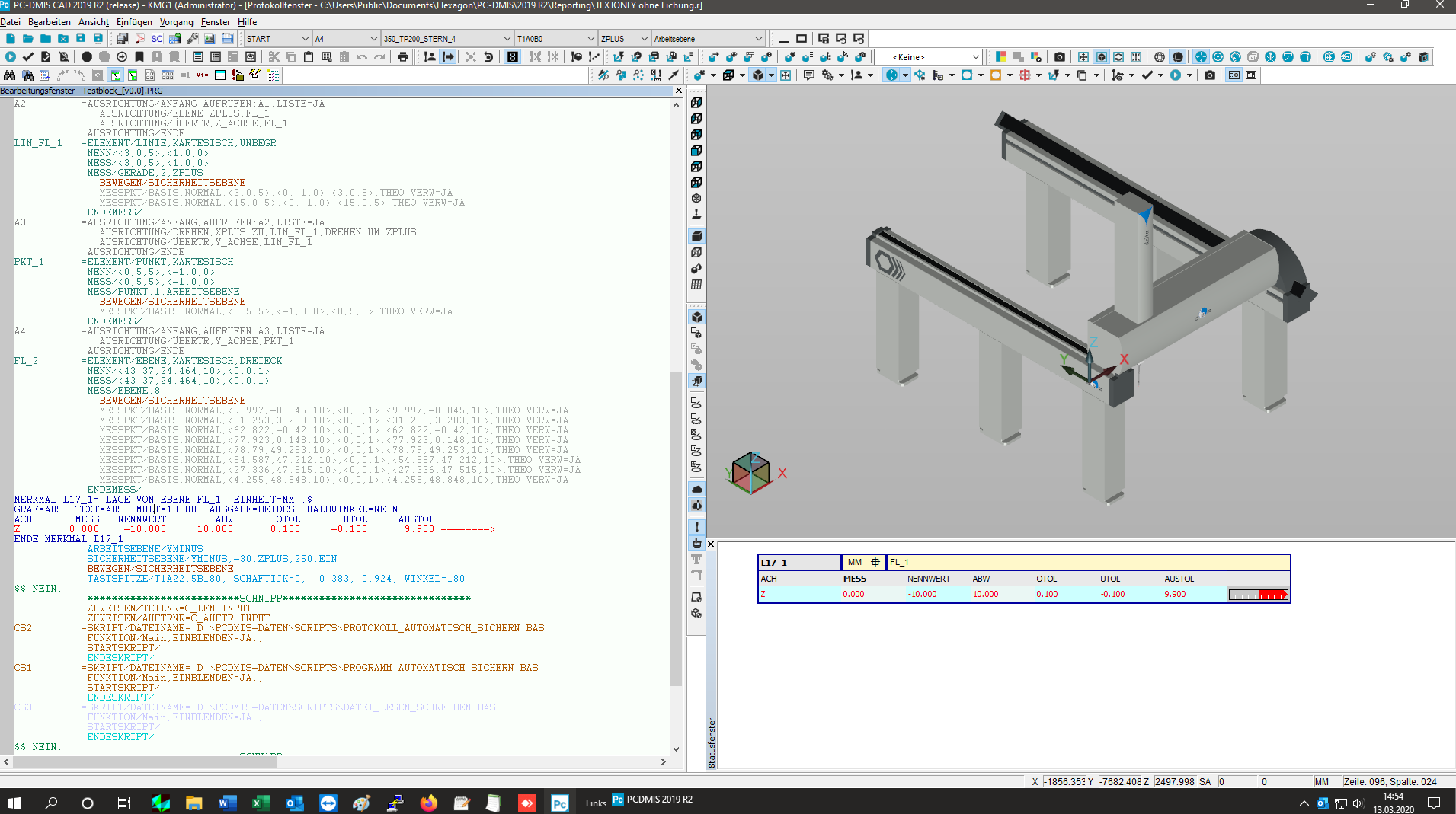
So it looks now with loss of edge sharpness, which has particularly bad effects on the graphics window.
This is our solution at the moment, but the screen is slightly blurry.
We had imagined differently, especially working with CAD models.
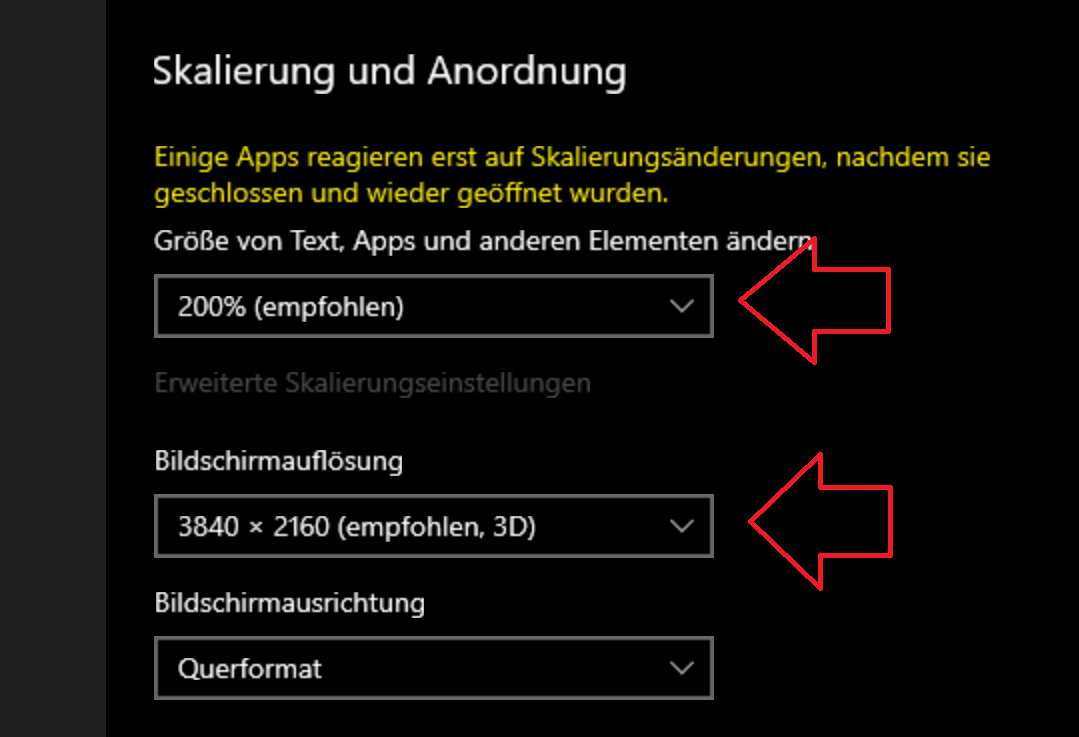
If we set the better resolution and the appropriate scaling for our monitors, it looks like this:
Now switch to
now it looks so after PCDMIS restart on the same monitor
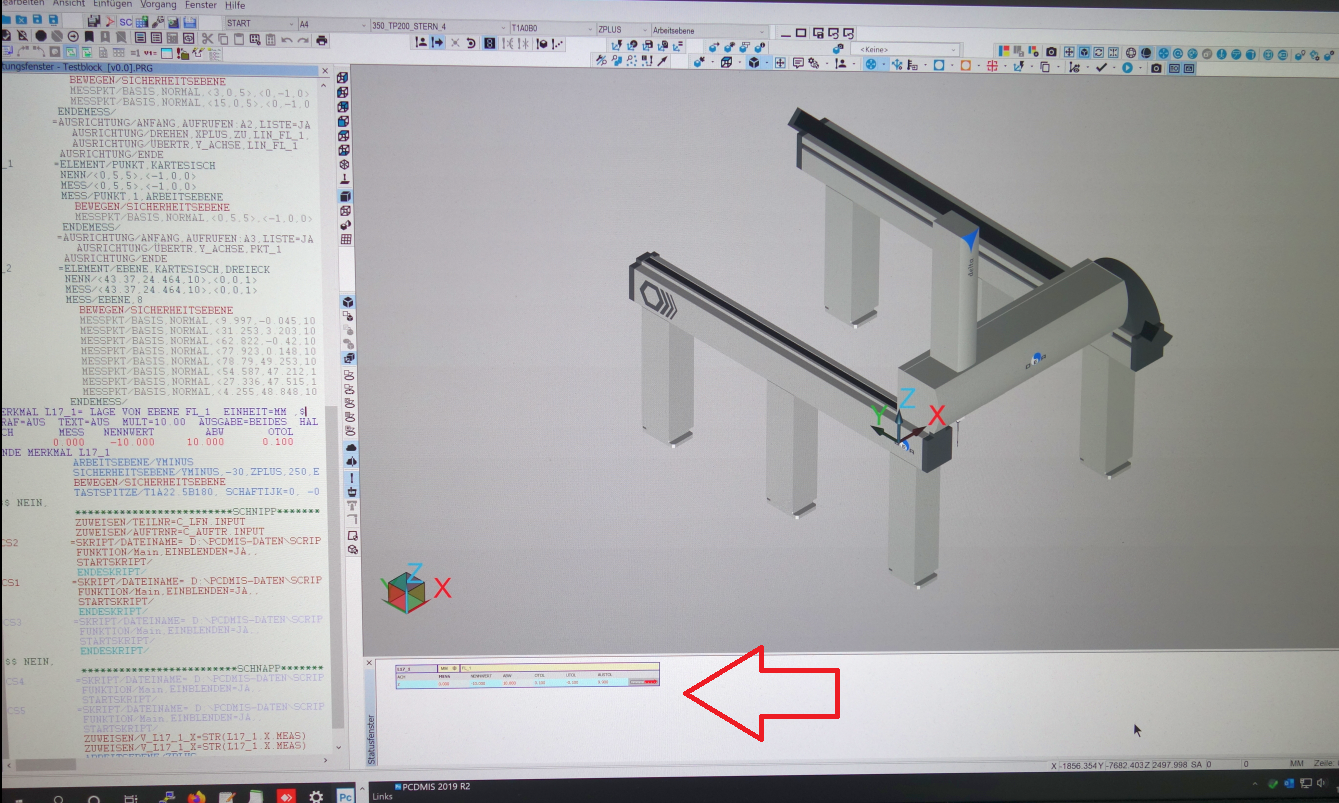
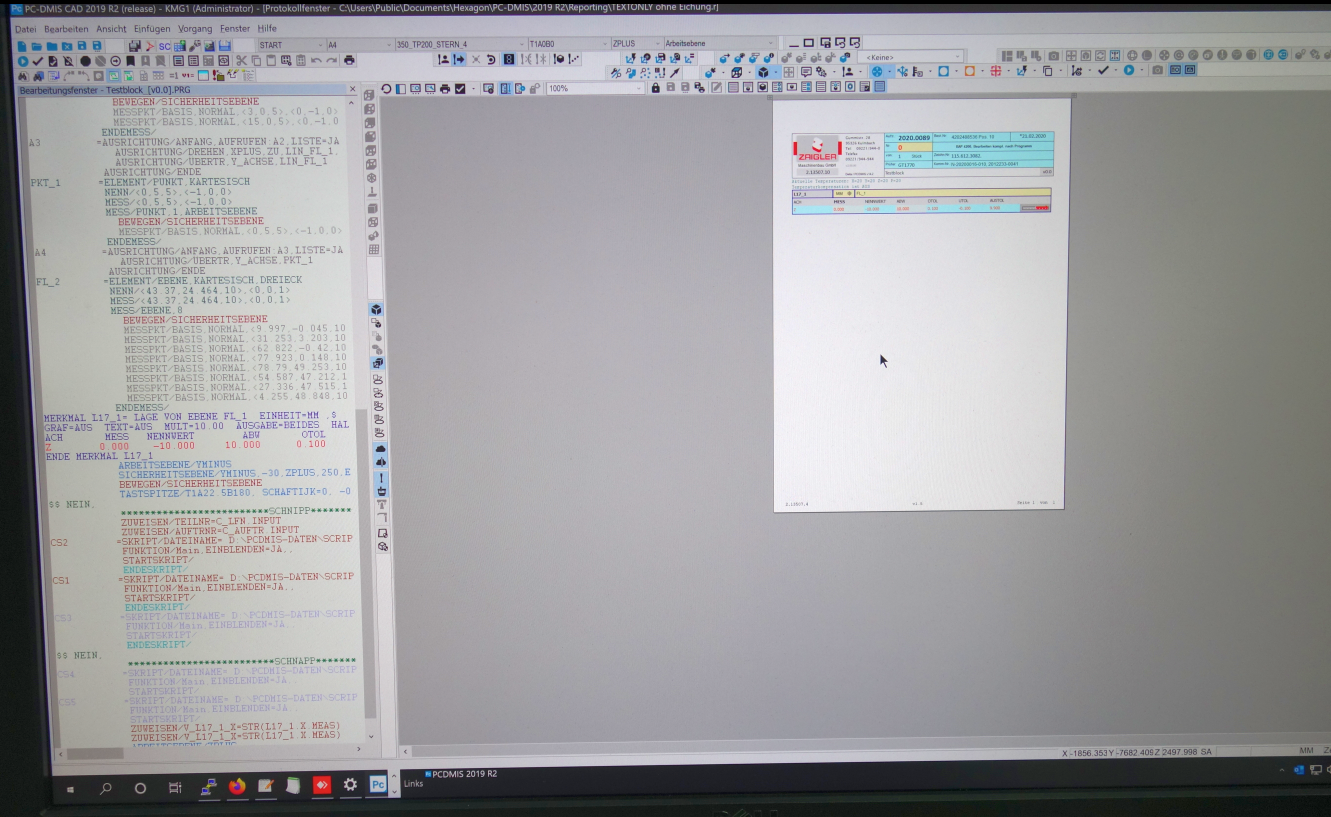
Font and icons seems to be ok but the report window is not really usable without up scaling.
With up scaled settings e.g. 200% in the report window it looks not really nice, moreover the labels inside status
window are not scalable. You need a magnifying glass for this. ;-)
Please fix this behavior. Thanks

I would like to calculate the area focus and the area of scans
We have irregular contours (turtle, Easter eggs, seahorses) and need the area and their from closed scans.
Our competitors are already working with this for a long time.


Datum Precedence Table Within Alignment Utilities
As a new user I feel a useful feature would be a live datum precedence table that updates as datums are locked down, identical to the one used in the CMM 101 class. So for instance in the alignment utilities dialog you select PLN1 as your Z+ level, the table updates with check marks under Z, V, and W. At which point you can clearly see what remains to be locked down (X,Y,U).

in the Programming Mode (CTRL+F4), should have virtual joystick, so it is easy to control the movement of CMM.

window improvement ( size, hide etc)
Hi,
It would be great if improve the windows.
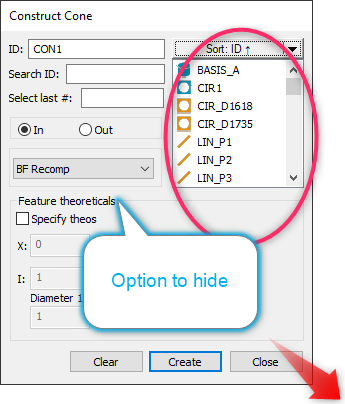
-Feature theoretical area maybe changeable hide /extend.
Feature list long (in red circle) sometimes would be great if extend by modify the full size of windows bottom-right corner pulling...

PCDLRN.exe closing (Exit) improvement.
PCDLRN.exe closing issue is one of PC-DMIS most coming issue that never been completely solved. PC-DMIS is the only software that I have ever used that needed the Task manager to end the software at this level. How many years will it take Hexagon to completely fix this issue. If you use PC-DMIS, you will sooner than later get to know the Task Manager very well.
Intervention limit for certain characteristics instead of general evaluation
Hello everybody,
We are looking for a way to define a Limit of Intervention for our workers for certain characteristics.
The Background to his is that it does not help us to tighten the Intervention Limits for the complete Evaluation because in punching Technology we deliberately always run holes on the largest possible Diameter and then These must not be marked accordingly.
Hallo zusammen,
wir sind auf der Suche nach einer Möglichkeit, dass wir für unsere Werker für bestimmte Merkmale individuelle Eingriffsgrenzen festlegen können. Hintergrund ist, dass es uns nicht hilft, wenn wir die Eingriffsgrenze für die komplette Auswertung anziehen da wir in der Stanztechnik beispielsweise Löcher bewusst immer auf dem größten möglichen Durchmesser produzieren und diese dann aber nicht entsprechend als Eingriffsgrenzen Verletzung gekennzeichnet werden dürfen.
Ziel: Eingriffsgrenze für einzelne Merkmale anstatt komplettes Protokoll.

Excel form: Export Bonus value from the material condition calculation
In the new Excel form, if i export a FCF dimension that uses Material condition, I have no information about the bonus value that was used, but only the nominal/tolerance values.
If my Excel form uses a formula to calculate deviations or other values in excel i will get a wrong calculation.

Window Menu shortcuts
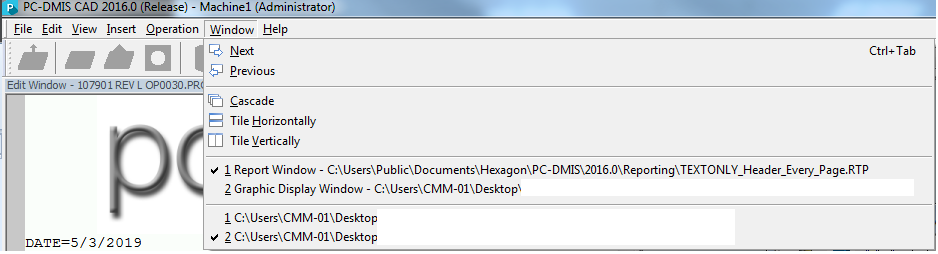
I, like others, use shortcut keys to save time while using PC-DMIS and other programs. When I have multiple programs open in PC-DMIS I would greatly prefer to be able to edit them side by side, but that is not possible currently. When I open the Window menu with Alt+W to switch from one program to the next, the current open program has a shortcut key of 1 and the second has a shortcut of 2. This is fine, except the report window and graphic display window also have shortcuts of 1 and 2 (see attached image, filenames have been cut out). My suggestion is simple. Change the Graphic Display Window shortcut to G, the Report window to R, etc.
Customer support service by UserEcho

