Hexagon Measurement SystemsNo matter what Hexagon measurement equipment or software you use, we want to hear your ideas and suggestions on how we can improve.
Thanks for your assistance in helping us shape the future. |
|


 3D Connexion Space Mouse
Allow/Enable the Compatibility of the 3D Connexion Space Mouse (CAD Mouse)


Vision - I would like a switch to save ALL images captured by the camera during a program run
In PCDMIS-Vision I would like a switch on/off setting to generate all images captured by the camera during a program run including the display of the measured points. This raw vision data would be extremely useful for root cause analysis.
It would be similar to the existing Diagnostics tool but available in run mode and not requiring to be turned on for each feature. Vision images tell the story of the measurement and are invaluable for troubleshooting and to support cross-sites communication.

Separate PCDMIS installation and license requirement. This is not suitable for enterprise roll-out. License details could be a requirement at runtime.
Current installation mechanism requires local login to PC.
This is time consuming and prevents parallel deployment.
Silent installation is documented... but still requires license and local login ?

A possibility to Add "Tolerances" to colors (RGB) like in Hexagon VISI or maybe in a simpler way
We work more and more with colors and PMI`s to reduce drawings to a minimum.
At the moment we are at the point, that we can handle RGB colors in our CAD, in the CAM and in the Viewer.
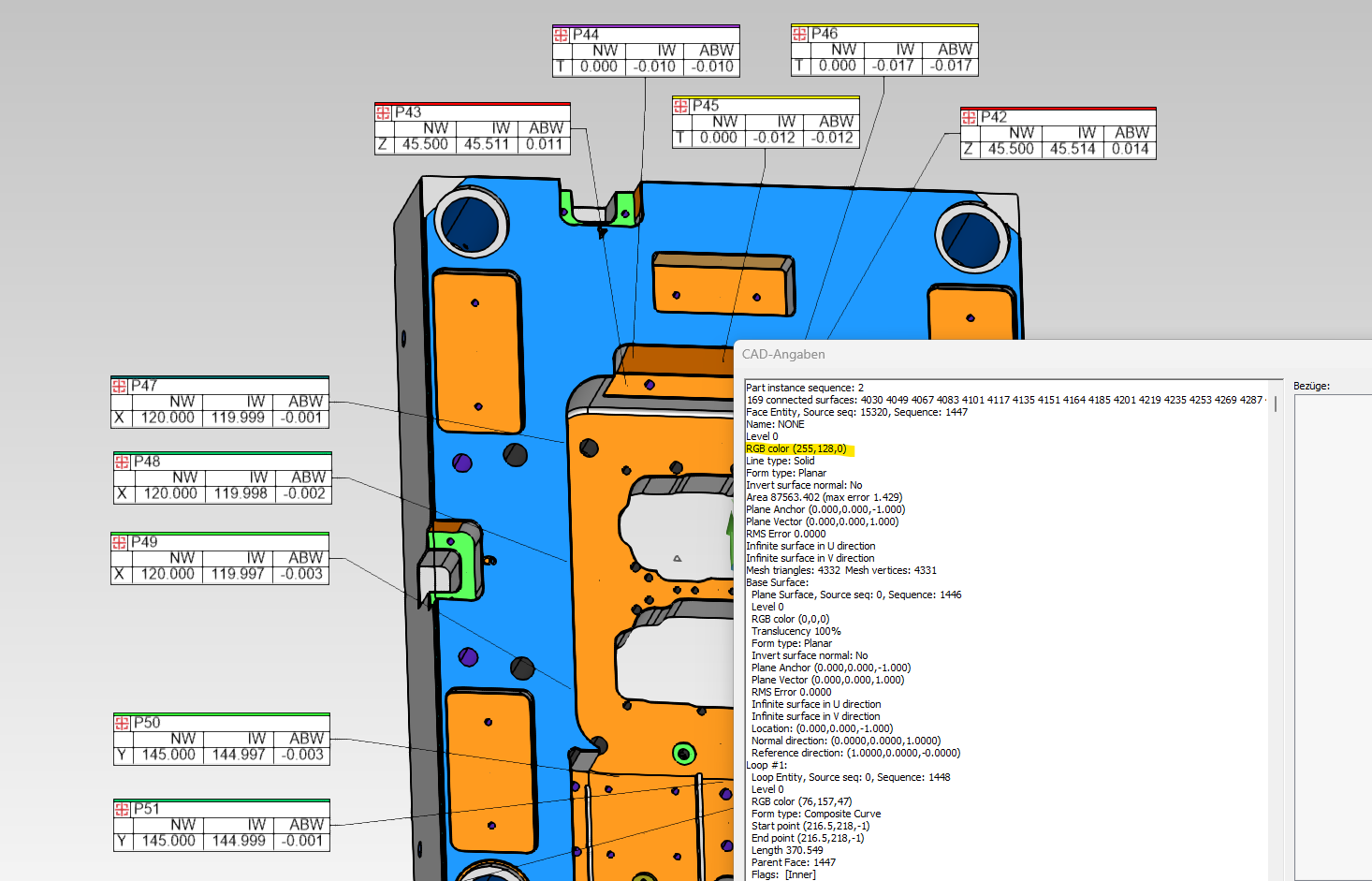
But in our quality department is it not possbile to work with colors in a fast way, because PC-DMIS shows only RGB codes of the Surfaces (Information Surface)
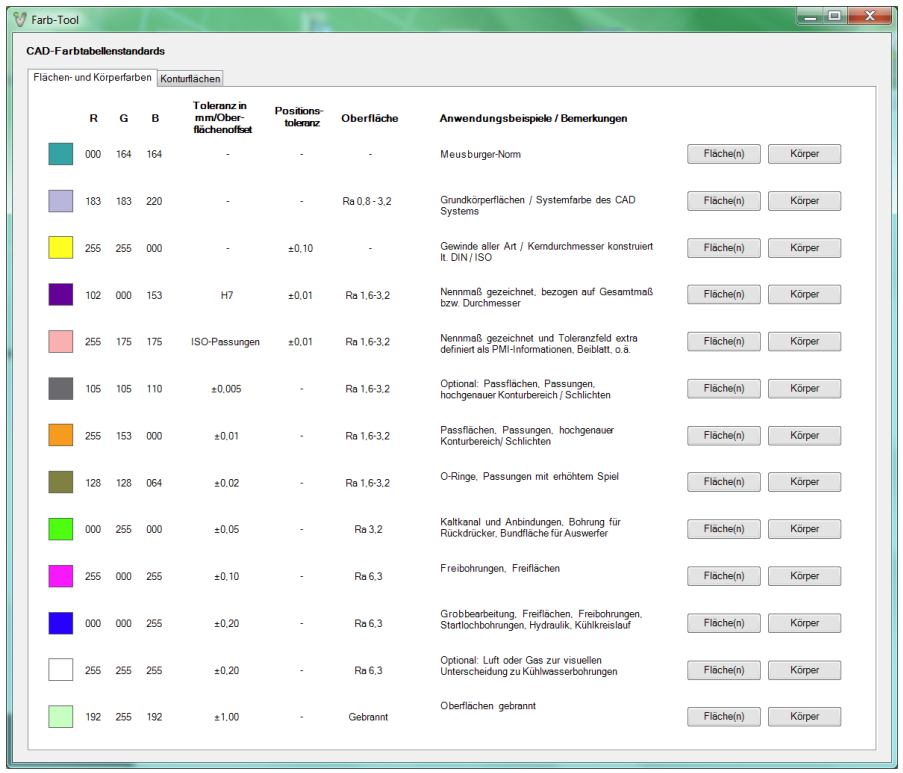
We would wish a to have a possibility to see a tolerance for every RGB color like in Hexagon VISI.
In our business field all companys work already with the similar color code. (Meusburger, VISI, Hasco, VDWF, ....)
Than you don`t need so much time to add PMI`s, because the colors are so much faster and you understand in few seconds the parts and what you have to measure.
Example how you can at the moment see the color in PC-DMIS, but no Tolerance:
This is how you can see it in Hexagon Visi:
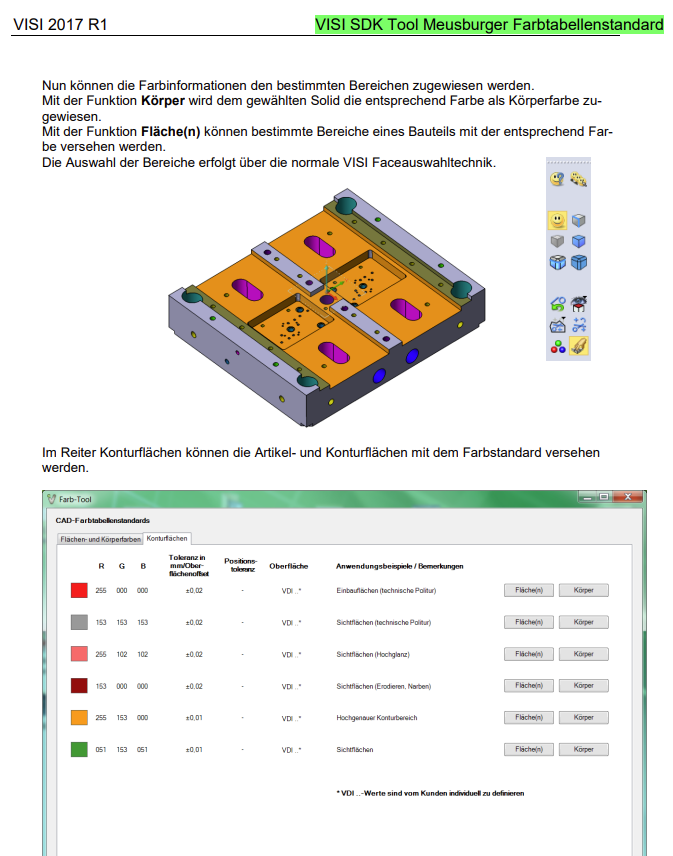

Select funktion
Hi
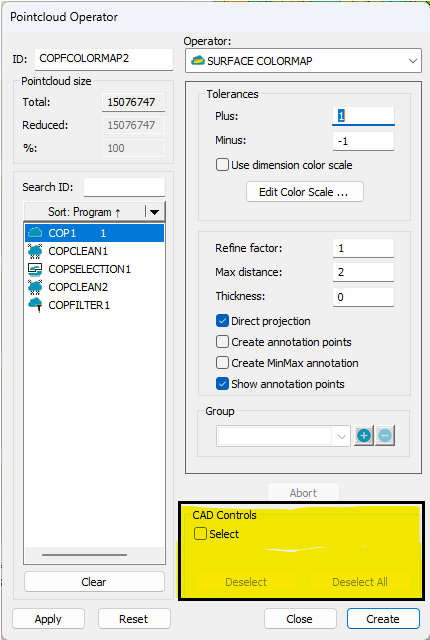
In recent years, there have been more and more customers manufacturing plates for hydrogen fuel cells or heat exchanger with have many small CAD surfaces (thousands of surfaces). If you want to mark a certain area, you need to zoom in and mark from different angles to cover everything. This takes an enormous amount of time!!!
So I would like to have more options when selecting CAD surfaces. Like, select all, select all in my selection (through/not through/visible only and so on.

enhance search function for groups (part 2)
Could the Find function in Command Mode be edited as is proposed in the original topic from Aaron Baldauf?https://hexagonmi.userecho.com/communities/40/topics/1335-enhance-search-function-for-groups
With that I mean is to add a checkbox for if you want to search inside groups or not.
The reason:
We have very large programs with lots of groups.
When I for instance do a search for "D20H7_" (in version 2025.1) it takes alot of time. If it is within a group it will expand the group. When I click next it will expand the next group. Et cetera.
Groups that are expanded via this Find keep expanded. So I need to do extra work to search manually for expanded groups that were collapsed.
I already talked to Hexagon and they proposed the search function in Summary Mode, but that is very different and not suffcient to my needs.
Plus, I, like so many others, program in Command Mode because I don't want to hoover over a line to get all info like in Summary Mode.
So please make it as proposed by Aaron Baldauf, with a checkbox "Find in groups".
Unchecked = Search as in version 2022.2
Checked = Search as in version 2025.1, and when it expands a collapsed group that when it leaves that group it will collaps it again.
Thanks.

Input comment text size setting, especially when using full screen input comments
I'm currently developing Pc-Dmis programs to be used in production. We typically have operators that run parts on up to 4 cmms each - they're performing setup (no manual measurements), loading parts, following prompts and printing reports only. We utilize bar code / 2d matrix scanners, and when the operators have to enter data into an input comment either manually or with a scanner they cannot easily see the text that has been entered. We use full screen input boxes for user input. I do have some programs that have forms, but I am currently the only programmer at our facility that knows how to create them. Would it be possible to add a text size control (full formatting would be awesome, just like on the forum I'm using now) to input/comment dialog boxes?

Quick Features - path line graphics
When using Quick Features, Path lines do not display direction, start/end points for Cylinders. Using Auto Features (Cylinders in this case) does. This is a reason for me not to use Quick Features currently but, if these were shown graphically, just like they do for Auto Features, I would be more inclined to use them. (Quick Feature - Cylinder - TOP, Auto Cylinder - BOTTOM)



Add mark used and global used as parameter set options for Auto Calibrate
Add Mark used and Global used as parameter set options for Auto Calibrate.
Doing this could eliminate the possibility of forgetting to update the Parameter set when the tips used in a measurement routine is updated.
Servicio de atención al cliente por UserEcho

