Hexagon Measurement SystemsNo matter what Hexagon measurement equipment or software you use, we want to hear your ideas and suggestions on how we can improve.
Thanks for your assistance in helping us shape the future. |
|



 Make Feature outlines follow their shape on the cad like Polyworks
In Polyworks, when you create a plane feature, the plane is represented by a gridded lines all across the defined surface, so that when you turn off the cad, you can still see these lines showing the shape of the feature, not just a tiny triangle or an outline showing just points. All features have this. In my example, you can clearly see the plane, cylinder and sphere are actually drawn on screen to look like what they are, and not just two circles connected by the axis or a two crossed circles like a gyroscope.
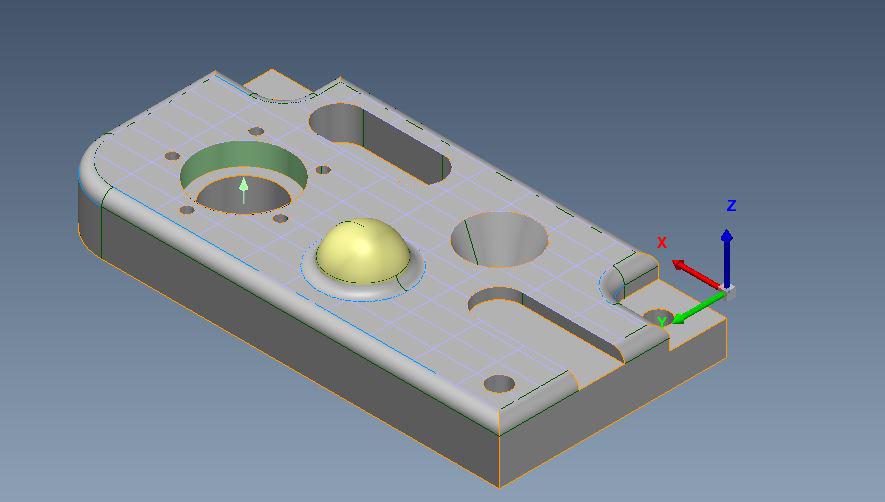 Features with Cad On
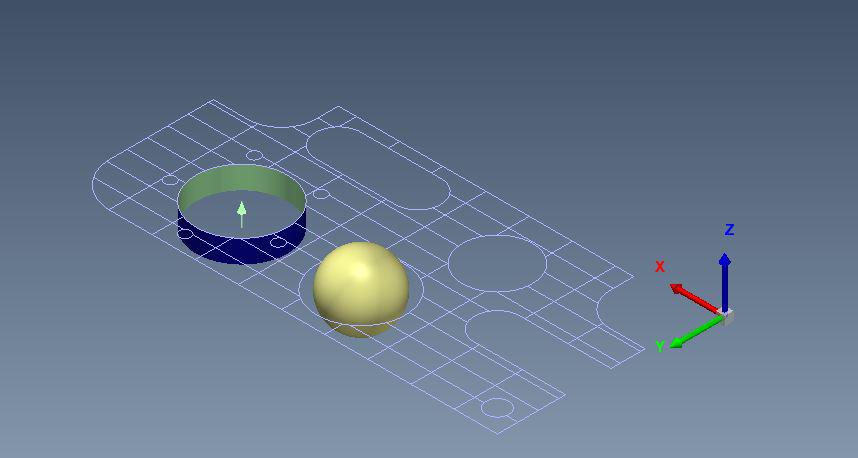 Features with Cad Off
This would be very helpful to visually reference where you are when you need to turn the CAD off to program and is more intuitive than the minimal outlines we currently have.

Additional excel functionality
Full integration of excel templates into PC-DMIS
- Maintain formulas in the template
- Keep previously made excel charts in the output
- After the 5 piece study is complete have the option to make a new file, or continue adding more runs

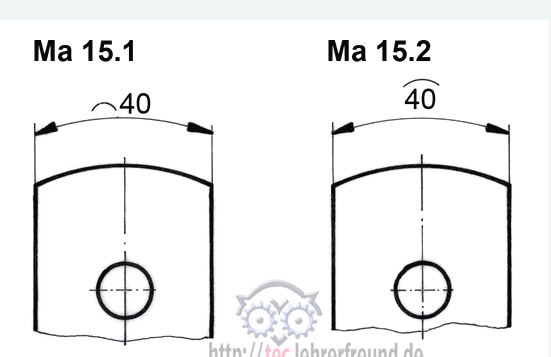
I want to measure an arc length, the feature or function is missing.
see example:

cad model transparent
Hi guys
it would be nice to be able to make certain regions transparent. For example: fixture model transparent, workpiece visible
have a nice day

USING HELP
With version 2019 the help (F1) is accessible trough the browser. My experience is very bad. The search is slow, opening is slow too. I just can not use it, it is unusable!!! Make it fast and simple like it was before.

Enhance vision probe support - lighting
Vision Probing is great (for the most part). However it would be nice to see a smoother transition when programming between two dissimilar machines or even CMM-V. Problems with settings translating between different style light configurations can pose some strange difficulites. Mostly settings getting lost or hidden.
Example: Right now I have a single tier ring light, my customer has a triple tiered ring light. I write programs where in sections I turned the ring light off - when the program is transported to their system - it is on. I am told this is because their setup is different.
If this were a probing Cmm I would simply select a different module/tip etc and move on - right in the probe toolbox.
Open Template / Program Template Search Path
Very Simple Idea. \
Add a set search path option for 'Template Programs'.
Add to the drop down menu under 'Open' ; 'Open Template'.
This then drives to your set search path for template programs.


Comment Yes / No Auto-continue execution
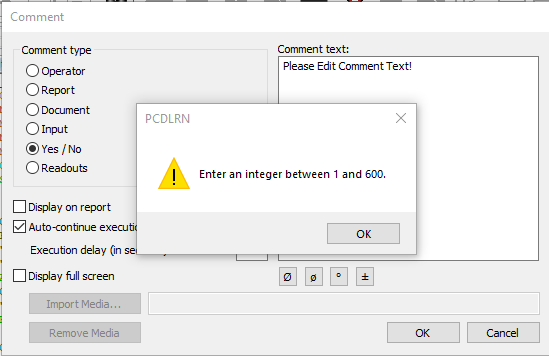
Change the Comment Yes / No Auto-continue execution Default settings to be uncheck (Off).
Every Time I want to place a Yes / No Comment into the program I have too always uncheck the "Auto-continue execution". If I don't uncheck this check box I will get a Warning message "Enter an integer between 1 and 600" after selecting "OK".
Kundesupport af UserEcho

