Hexagon Measurement SystemsNo matter what Hexagon measurement equipment or software you use, we want to hear your ideas and suggestions on how we can improve.
Thanks for your assistance in helping us shape the future. |
|


 Pointcloud to CAD alignments
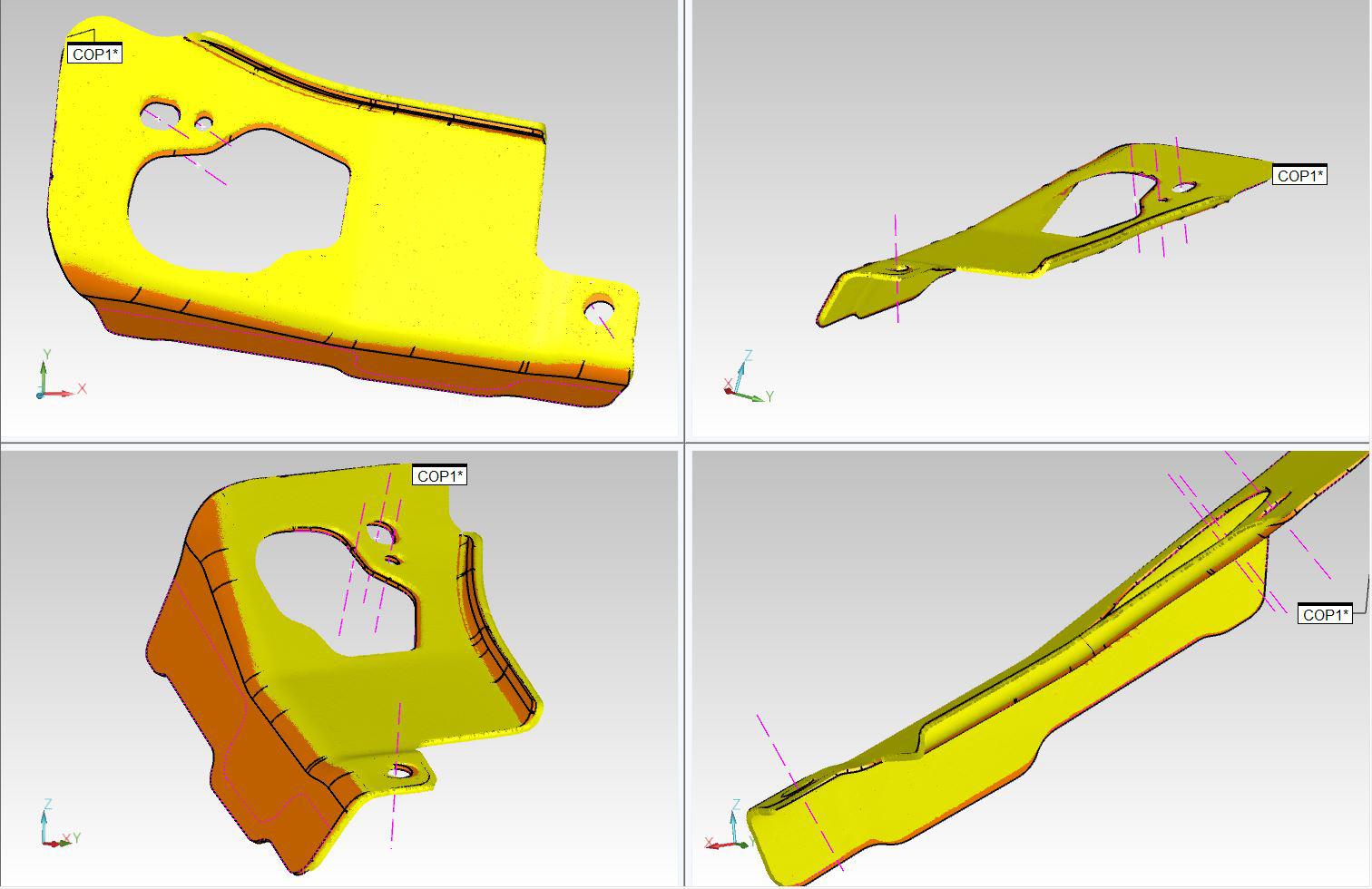
Often when making a point cloud to CAD alignment on sheet metal, the cloud don't fit (see A.JPG).
This is what I think because of the sheet metal can be wrong shape with some degree so it fit better on the opposite side.
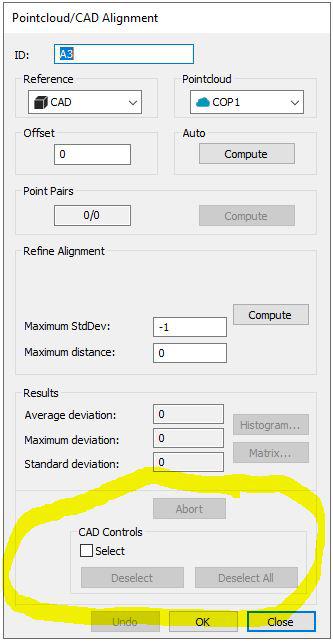
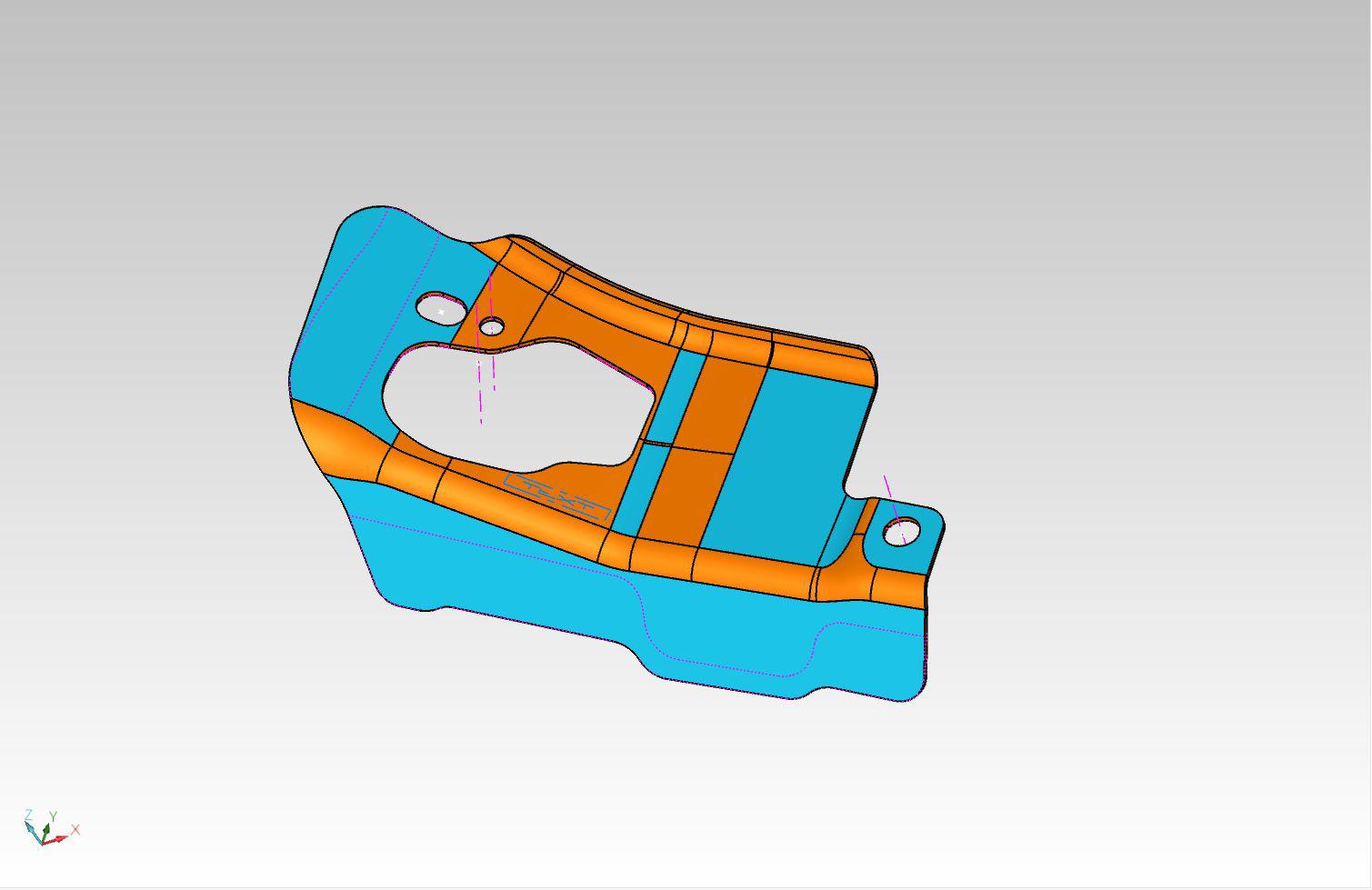
I would like to have a CAD Controls in the alignments window (see B.JPG), so I can choose some CAD surface to fit my points (see C.JPG) or you can say as well like "helping the alignment calculation".
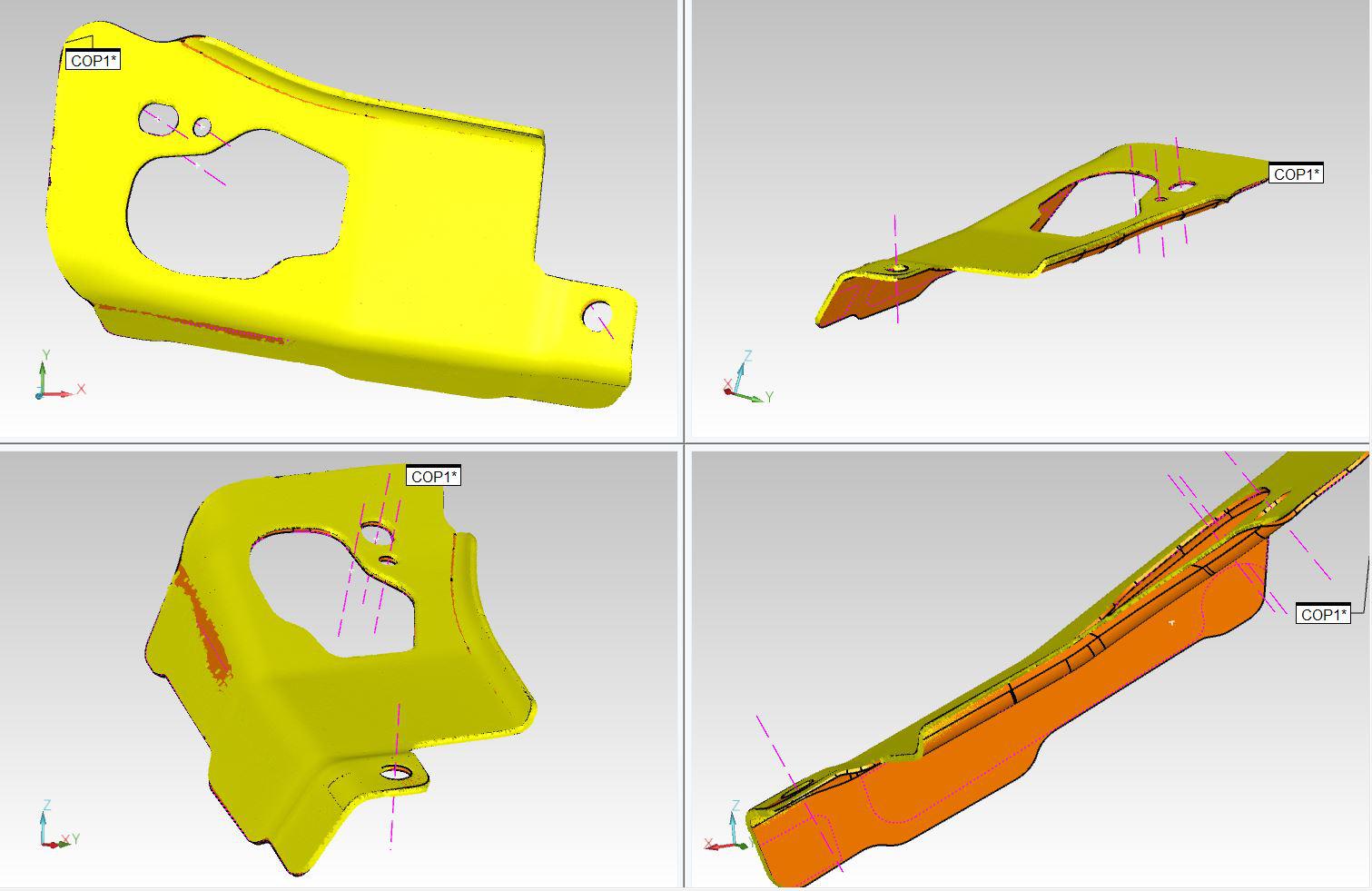
Expected result (see D.JPG).

Create a full circle from two or three separate partial circles.
There are times when you can only measure a portion of a circle with a specific probe orientation. It would be great to be able to create a full circle from two or more partial measures circles.

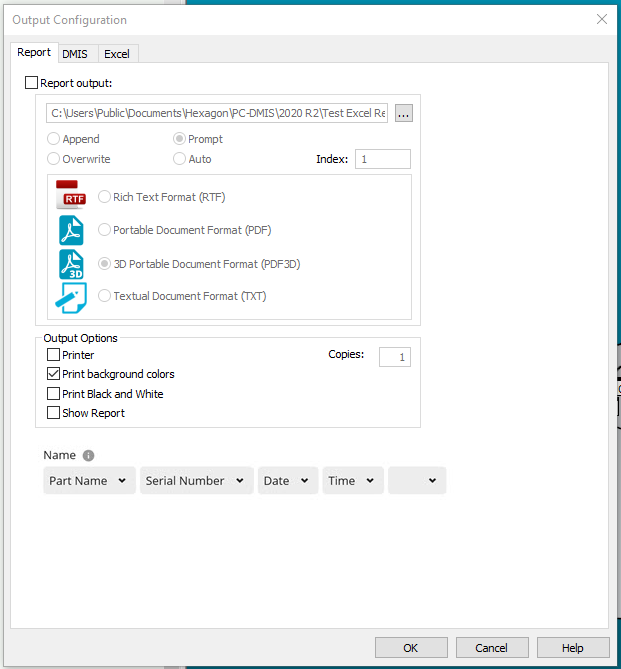
Report Window Print Setup – Output Configuration – Add Report Name configuration
Add Name setting same as the Excel Form Report - Report Settings dialog window to the Report Window Print Setup – Output Configuration dialog window.
Excel Form Report - Report Settings
Name - This option determines a file name based on your selections from a series of lists. The list provides a trace field value to create a name rule. You must select options from a series of lists that supports the desired report mode.
Idea sample

MBD/PMI/GD&T with Vision
Add the ability to select GD&T with vision probes. The system could use measurement strategies for vision or run something similar to autotune to set lighting for each feature on the first execution.

Paste with pattern dimension names
PC Dmis has the ability to keep feature names and add an index number to the name when using paste with pattern. Being able to do something similar to Dimension names seems like a logical and useful extension. Dimension names could then match up to a bubbled print.

Quick Feature Point Type Toggle
It would be useful to be able to overide the type of point that PC-DMIS has created when using Quick Features. It does a very good job of recognizing the type of point based on the CAD surface, but in some cases the programmer may wish to override this.
The ability to program an Edge Point when the software has (correctly) identified an Angle Point in the CAD is a good example.

Excel Form Report Dimensional Output
When reporting to Excel via the Excel Form Report, the features being reported are not the same order as is being reported in the report window. In the Report window the Size is reported first, then the true position and finally the axis locations. In excel form report, it is axis location, diameter and then true position.
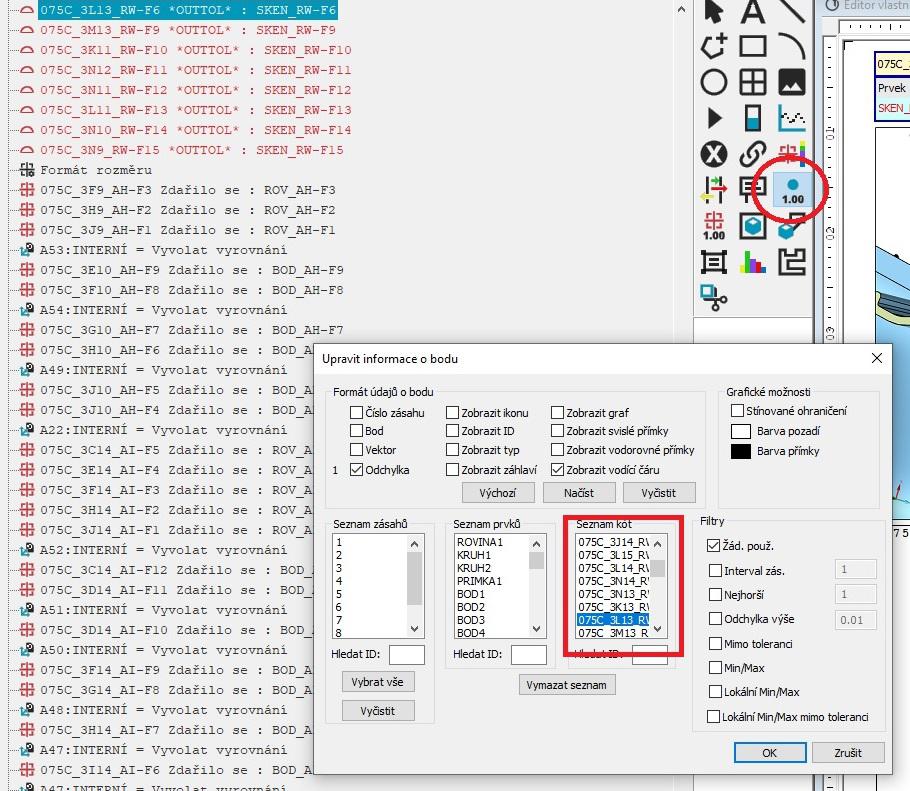
Edit Point Info dialog box - change of size
Hi,
the Edit Point Info does not display the full length of the dimension name in the dimension list. The window is sized for 14 characters, but if the list is full, a slider is added to hide some of the characters.
Is it possible to make a whole window like a classic window in windows? Or to fit the dimension list to the longest dimension name?
JOG A-XIS & B-AXIS ON CONTROLLER
This function would be great to have the ability to find the perfect angle for difficult and complex orientations. being able to control the A-Axis & B-Axis with the jog box would eliminate the need to always rely on the Auto Wrist function or to select from the grid until you finally choose the correct angle.
Probe results – automatically alarm for excessive deviation from theoretical/previous measured results
This would make it easier for operators to notice and react to issue like bent tips or failed indexing of the probe head.
Сервис поддержки клиентов работает на платформе UserEcho

