Hexagon Measurement SystemsNo matter what Hexagon measurement equipment or software you use, we want to hear your ideas and suggestions on how we can improve.
Thanks for your assistance in helping us shape the future. |
|


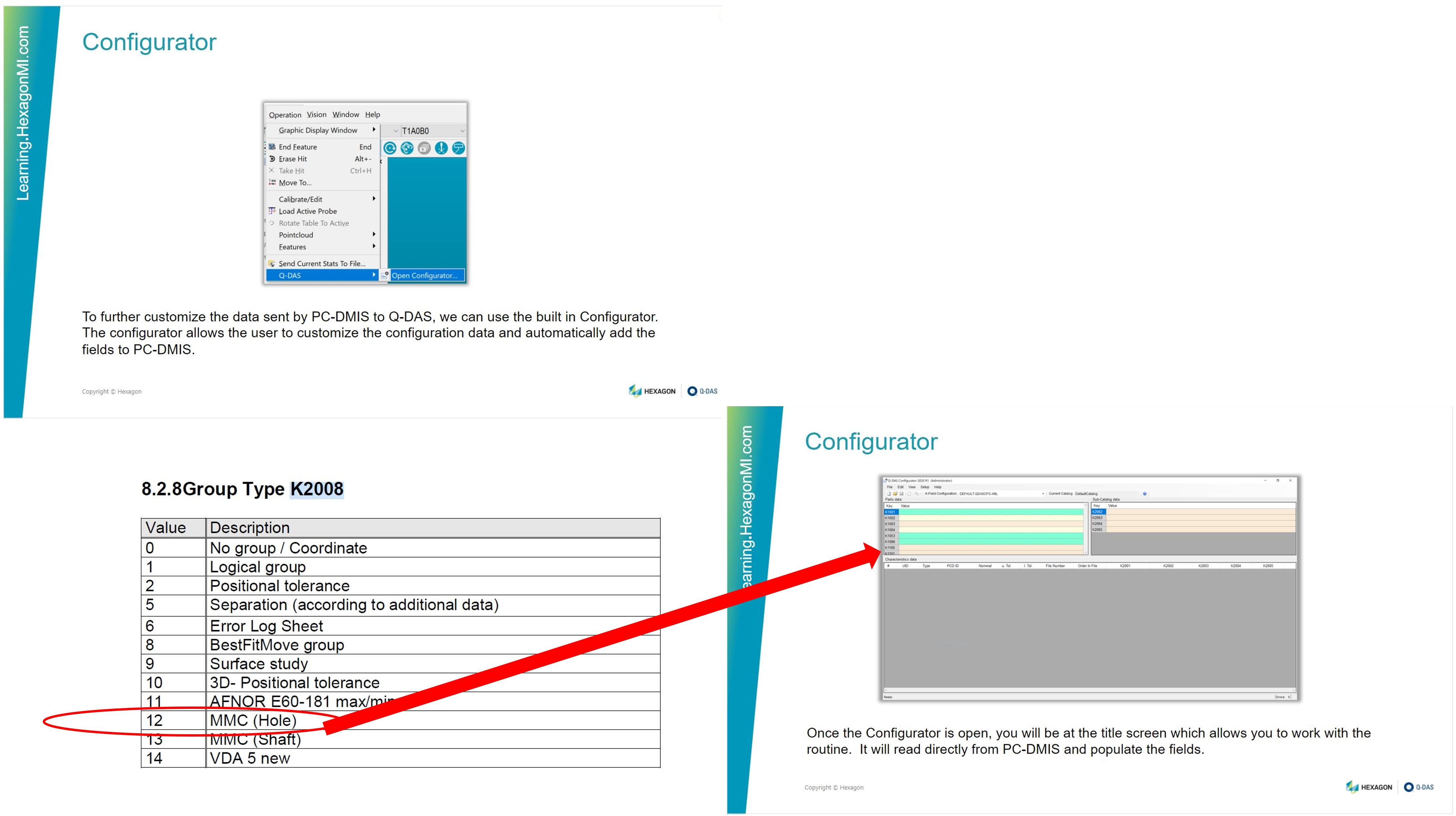
 Add a grouping key field, 2008 12 MMC Hole PC-DMIS – Q-DAS built in configurator
Add a grouping key field, 2008 12 MMC Hole PC-DMIS – Q-DAS built in configurator.
Persistent toolbars and buttons across users
I would like a custom toolbar that can appear on every user's toolbar area by default just like the standard ones. It would be incredibly handy to have a toolbar with custom function buttons that everyone has access to. It would also streamline so many other things including setup and work instructions. Currently, to get that functionality, each user would have to configure their toolbar, which isn't practical for shops with multiple users and skill levels. I would love to say in my work instructions: "press the <setup instructions> button in the toolbar" and know they have that button.

Palette measurement review in Inspect
Measured and theoretical values for multiple palette routines in Inspect are only temporarily saved during execution, but a series of measurements can be saved as a separate file for review in palette measurements.
Copy ABC paste CBA
In the edit window, I would like to be able to copy a set of elements ordered as A-B-C-D and paste them as D-C-B-A.
Suggestion for a filter for laser COP
One filter that I really wish was available for a laser-scan COP is a one that just removes all laser points within x distance of a seam in a solid model. Trying to get a surface profile measurement of a scanned part is inevitably thrown off because the physical part has had the edges smoothed per drawing requirements, but the model had sharp edges so it shows up as an out-of-tolerance condition.
I'd love to have a filter were I can specify a distance, and then either select individual seam lines or just pick "all seams" to filter out these edge points from the COP.
A .015"/.005" break edge requirement means on a .010-profile surface all of the edges will be out of spec, and the measurement will not be an accurate representation of the part.

being able to see the report window (as the part is running) in the inspect application.
Having the ability to see the report window while the report is running or even the edit screen while the program is running in Inspect would help us determine where in the program a fault occurred. All we can see currently (In 5.1) is the CAD, %, and pass/fail screens

after any update PcDmis gets rid of favorites on home screen and defaults all settings. How can this be avoided during updates??


How can i stop nexus metrology reporting every single time when one feature execute? any solution?

Button for non-calibrated angles
My machine has a tool charger that has eight tools. When I start the program from the server, the program tells me that I have some angles that are not calibrated. I then have to manually search the program and calibrate tool by tool. After that I have to exit the program
and to enter again to make sure that I have calibrated all the angles. It is necessary to put a button that, with one click, will mark those in the head that are not calibrated without exiting the program.
Servicio de atención al cliente por UserEcho