Hexagon Measurement SystemsNo matter what Hexagon measurement equipment or software you use, we want to hear your ideas and suggestions on how we can improve.
Thanks for your assistance in helping us shape the future. |
|


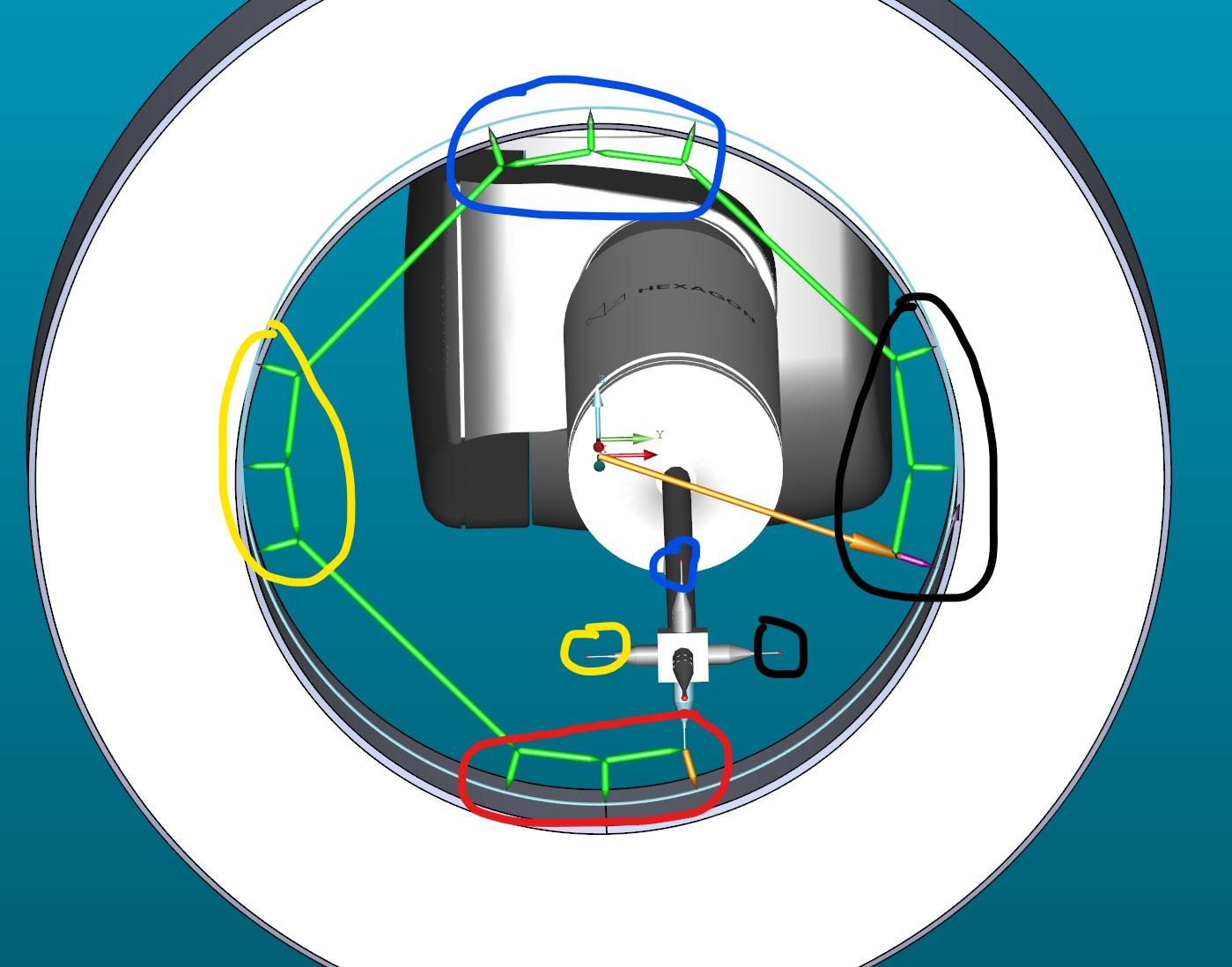
 Auto Feature Circle for Star probe with 4 tips
Measuring a circle with 4 tips
auto feature circle

Availability Laser Sensor NIKON LC15Dx for PC-DMIS required
Up to now laser sensor NIKON LC15Dx is not available in PC-DMIS.
This sensor is used on LEITZ CMM with PC-DMIS as Clientsoftware via Technollogy Server.

Migrate PC-DMIS configurations and settings when installing a new version.
Have the option on install to migrate configs from the previous version.

disallow invalid feature names
I would like, that PC-DMIS makes it impossible to use “invalid” characters (spaces or special characters) in feature names or at least warn the user when using them.
I have seen many problems come from it first hand and also countless forum threads about it.

I material specific illumination calibration that is interchangeable.
I would like to have the ability to change the illumination calibration without having to re-calibrate the illumination when I inspect a different type of material. At this time, if I calibrate the illumination to one type of material, then I can not use the same calibration on a different type of material as effectively. I would like to be able to toggle between the illumination calibrations.

Add the ability to resize report snapshots

Inspect Realtime Report Window
Allow realtime Report Window within Inspect, I do not want to have to create slideshows for 2,000 programs.

Changing the vector approach on a Circle
It would be nice to add a 3d vector approach in auto circle, to measure circles on cone, sphere... without doing it by autovector points.

I would like to be able to change a contact auto feature into a vision one (and vice versa) without having to delete the feature and recreate it
It would be a good time saver to not need to reprogram if there was a toggle parameter in the edit window for auto features for sensor type

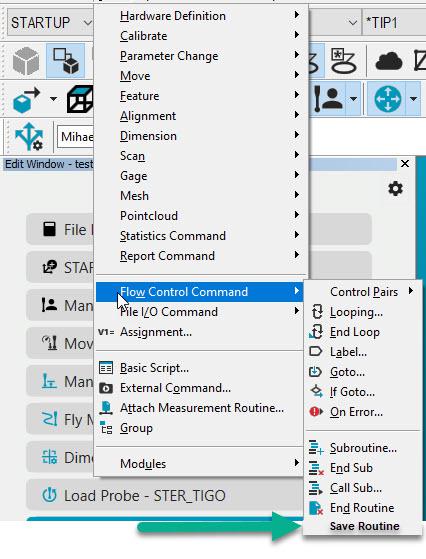
Save function as a PC-DMIS Command
As a PC-DMIS user, it would be an advantage to have a save function in PC-DMIS. Sometimes users are using VB to save the measurement routine. It would be nice if there is a function in PC-DMIS to have a commando in your measurement routine which functions as a Save Routine.
Сервис поддержки клиентов работает на платформе UserEcho

