Hexagon Measurement SystemsNo matter what Hexagon measurement equipment or software you use, we want to hear your ideas and suggestions on how we can improve.
Thanks for your assistance in helping us shape the future. |
|


 Individual Clearance settings during calibration
Give us the ability to have individual clearance settings for each tip during calibration. This would be extremely helpful for us with small CMM'S with probe racks. I have to do any that's rotated from A0 to A45 ( Z clearance is 6) separately from anything over A45 (z clearance is 12). Otherwise, I hit the prob rack.

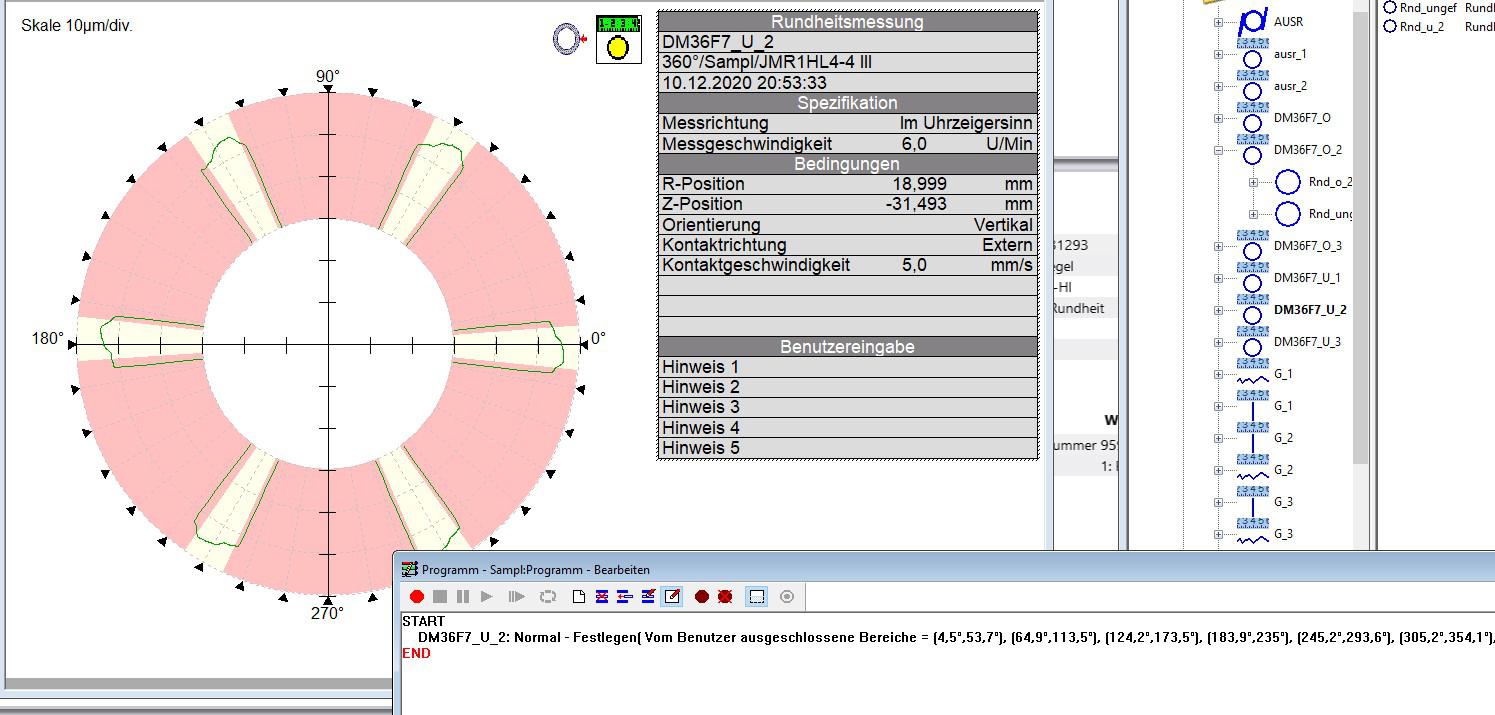
Auswertung von Durchmesser und Rundheit über polare Sektoren (anhand Scandaten)
Wir würden eine Funktion für die Auswertung von Durchmessern und Rundheiten über polare Sektoren benötigen.
Derzeit nur sehr umständlich über Numhits-Funktion oder Einzelscans möglich.
Es wäre eine Funktion in den abhängigen Elementen von Vorteil, an welcher ich für die Kreis Auswertung einen Scan
verwenden kann und in diesem definiere welche Bereiche ich von der Messung ausblenden will.
Beispiel siehe Screenshot.

Display lines options in graphic reports
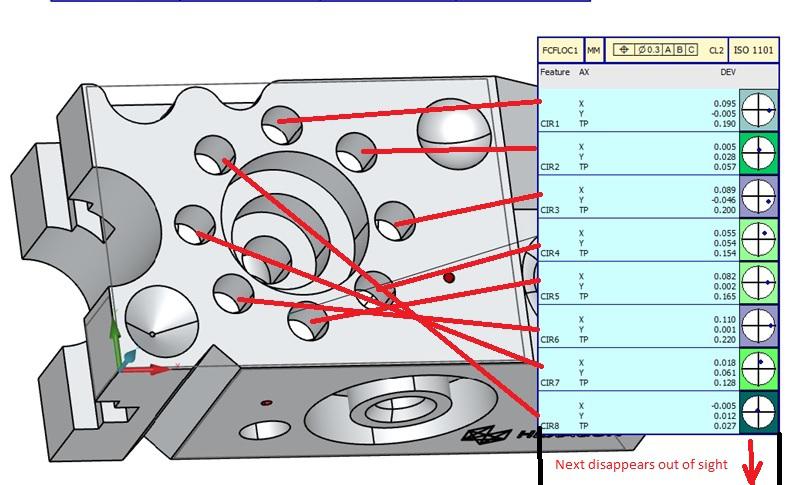
I would like an alternative to be able to show with lines where my measured circles are on the cad, when evaluating several holes.
Also the possibility to divide the "flag" on several pages as you can have more measuring points than can fit on the paper size.

Some Top Rated Suggested features over five years old
Some Top Rated Suggested features over five years old
02-02-2022, 08:02 AM
PC-DMIS 2022.1 Technical Preview
Well, here is 2022.1 and still we wait for the ability to change from online to offline (Posted five years ago). Just like print commands when choosing two formats, Then the request to change the routine from inches to metric (Posted five years ago) and so many more requested changes.
Yes, there have been some great improvements over the years. Why is it taking so long to make these other requests.
Change from Online / Offline
Link: https://ideacenter.hexagonmi.com/en/...online-offline
Have the ability to change the program from English to Metric, not just the reporting
Link: https://ideacenter.hexagonmi.com/en/...-the-reporting
Ability to use Multiple Print Commands with different formats. There is a Case Number 00244229 for this as well.
Link: https://ideacenter.hexagonmi.com/en/...ferent-formats
Adding the Measure Now button within the Auto Features.
Measure Now toggle icon (Posted five years ago) that needs better visual aids to help let the user know that the CMM will execute immediately. Add a way to turn on or off globally. This one can destroy a CMM in a hurry. Forget that this button is on, select the OK button, and watch the dollars disappear.
Link: https://ideacenter.hexagonmi.com/en/...ow-toggle-icon

Auto plane radial pattern should default location to some geometric center of the clicked surface
When creating an Auto Plane contact feature, the XYZIJK for the feature are grabbed from where the user clicked. If the Pattern is radial, what makes more sense is for the XYZIJK to default to central location. Most often than note, when the user wants to use a radial pattern he/she is working on a surface around a circular feature or with a circular perimeter. Having to manually edit the XYZ of the feature so that the pattern will be centered is not user friendly.
and if the center is on an inclined surface (not orthogonal to X,Y or Z) and the center has a hole, good luck.
Seems to me that if radial pattern is the current default for Strategies, QuickMeasure clicking on CAD for an autoplane should do that evaluation on the fly also.
Edit Window Warnings Widget (Update Measured / Tols / Alignments etc)
Create a floating (ideally customizable) widget for warnings related to edit window changes.
Have a widget so you can toggle the common warnings (Carry Nominals back to feature / Update Measured Also / Save Theo as New Target / Update Nominals of Related Dimension / Carry Tolerances Forward / Update Commands Below)
Behavior could be that if the widget is visible it won't ask the question and will just use the currently selected option.
Make customizable so user can specify which warnings are on the widget.

Sort up to 200 inside diameters by any combination of incremental or decremented X,Y or Diameter

Shortcut button
I would like to have the option to assign any of my mouse buttons as a shortcut for example "end element"

Compensate for plating/surface treatments
It would be nice to pick type of plating or surface treatment with thickness and tolerance. Also the ability to select which surfaces get plating on the cad model or the entire part. It can be a real pain to figure all this before hand.

Swapping the XY axis to YX in the created program
Dear Hexagon Team,
I would like to suggest transforming the XYZ axis in the created program.
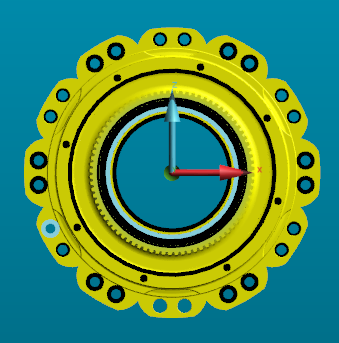
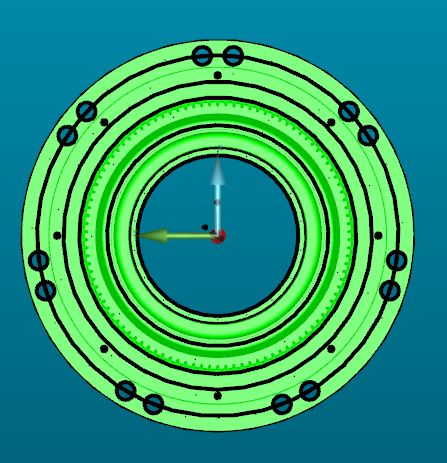
For example, If we create the CMM program with reference to one machine, which is configured as (20.33.15 that is XYZ), suppose I want to run the same program in the other machine which is configured as (33.20.15 that is YXZ).
I am facing this problem frequently as my customer is giving the program, but I couldn't able to run the same program on our machine.
If you provide this option, it would be very useful to run the same program in the different axis configured machine and also we don't need to recreate the new program.
If this option is already available in the software, please let me know.
Refer to the below attached image for you reference.
Regards
Srinivasan N
Servicio de atención al cliente por UserEcho

