Hexagon Measurement SystemsNo matter what Hexagon measurement equipment or software you use, we want to hear your ideas and suggestions on how we can improve.
Thanks for your assistance in helping us shape the future. |
|


 Report concave/convex condition of planes
ability to evaluate if a plane is either concave or convex.

Protected measuring routines
We need a possibility that an user can only open the measuring routine (.PRG) for execution. User in that case means also an operator with full PC-DMIS access and administrator privileges.
Here is the story:
- Customer has 2 Leica trackers from us with PCDMIS.
- Customer constructs big machines for producing car tires. At several moments they measure the setup from their machine with the tracker. Works all fine.
- Next step: if they sell a VMI machine to a customer they think about also selling a Leica Tracker with PC-DMIS as a kind of measuring tool for their customers.
- They create the .PRG, and want that the routine can only be run in Operator Mode. Reason: they do not want that their customers can edit the original .PRG
- Note: the protected mode in PC-DMIS is not an option.
Another example is the ISO acceptance routines. We have to make sure that they can't be changed.

Auto Planes
When using an auto plane, we would like to see the option for start points and end points for the plane, as manipulating the points manually around other features can sometimes be difficult.

Program Single Block Mode
It would be nice to see an addition of a 'single block' mode, similarly to CNC machines where you can step through each line/block of code one at a time. This would be good for proving out program or certain sections of programs. This would be better than having to CTRL+E each line to make sure things dont crash.
Adding a single block toggle to the execution popup window while executing would have the user click the play button/green button on the jogbox to advance each block.

Measure in 3D-model like CAD-software
Make a function that can measure dimensions in a 3-model like the same way as CAD-software can. Only to know how big some geometry is, or to check something. This can be usefull, because nowadays many drawings are minimum dimensions drawings.

Add RFID or similar to probe and stylus module
As written in the title my proposal is to add a RFID or similar to the probe (e.g. HP-S-X1C,...) and to the stylus module.
The goal is to eliminate crashes which happen if the operator selects a wrong currently loaded probe.
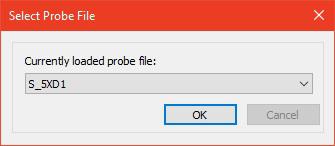
I think the added cost of the RFID is way smaller than the cost of crashes.

Color code for tolerances
I suggest the software recognizes the color of the surfaces the points are applied to.
When we create dimentions, instead of adding the tollerance for each point (or group of points), we select a color code (that has been sorted out by our engenieering department) and the tolerances are applied considering the CAD surface color and which tolerance that color represents on my color code.
Min/Max reporting for multi-times hole pattern for size and true positions
Many times we have 25 to 100 x's size and location callouts for pattern of holes. It would be nice to have PC-DMIS be able to output Min/Max GeoTol values without hard coded variable arrays.


Change the "Close" menu option to "Save and Quit"
Change the "Close" menu option to "Save and Quit".
This would be much more clear in what is happening.
Kundesupport af UserEcho

