Hexagon Measurement SystemsNo matter what Hexagon measurement equipment or software you use, we want to hear your ideas and suggestions on how we can improve.
Thanks for your assistance in helping us shape the future. |
|


 SlideShow template creation - Allow for further customization of label (dimension controls)
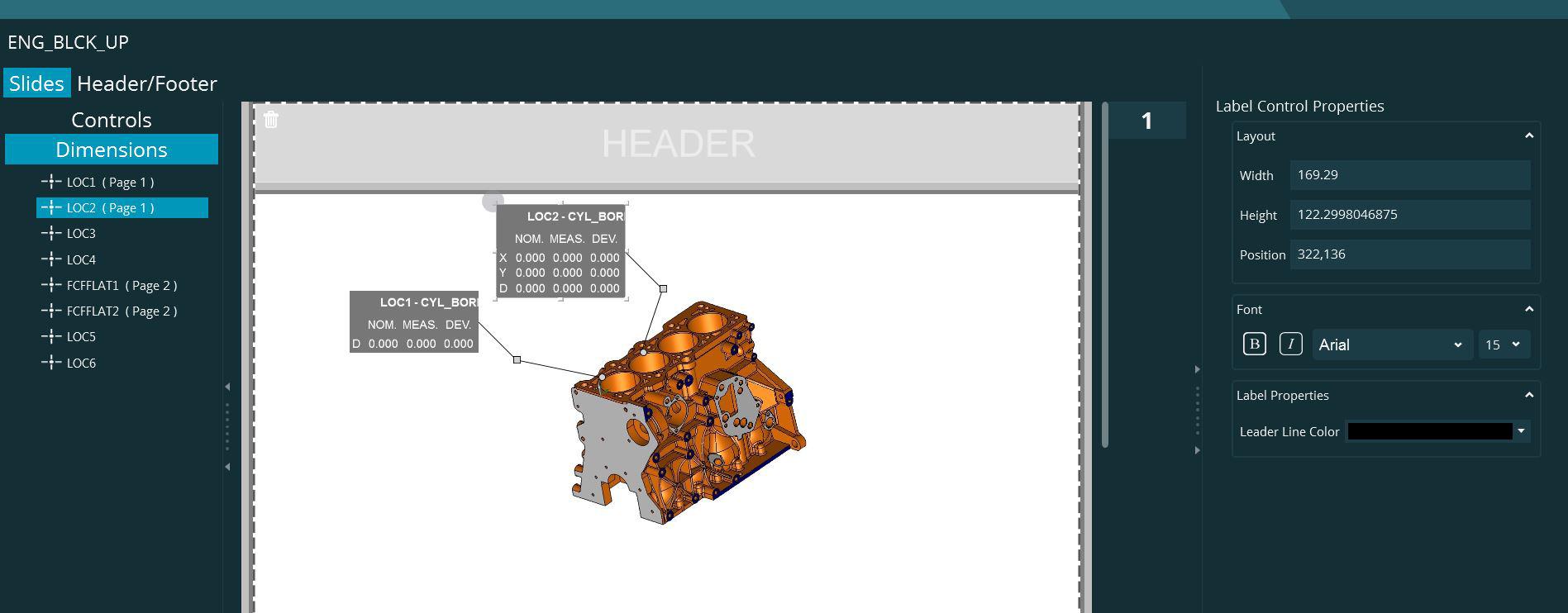
SlideShow allows the user to grab any dimension from PCDMIS routine and annotate the slide with that element as a label control. However, it does not offer or allow for enough customization like PCDMIS STI+ did.
For example, say a dimension location that has XYD is selected. the control should allow user to only add D, or Y and D, etc. Instead of all dimensions. The label should allow us to specify applying color (Green, Yellow, Red) to percent of tolerance for any dimension. This could be via a background color for the label.
Suggestion for leader lines. Line color, End type Arrow or dot, relative to two features checkbox. If the dimension label is for a distance or an angle for example, leader line (relative to two features) could be made to point to two areas on screen.
Example screen capture of two Location dimension attached. It would be nice if user would see list at left showing available report axes and select the ones to show and use for label. When evaluating Green,Yellow, Red, only that dimension axes would be evaluated.

Mapped drives in win10
Dialog Save As or Open in win10 with 2018R1 doesn't work. PCDMIS doesn't see any network mapped drives or folder from Quick Access. Please fix that. because we cant work without that.

Playlist end of execution should show a summary containing all the measured items, not just the last
Seamless routines execution without summary screen confirmation after each routine.
Instead, one overall summary screen after playlist is executed.

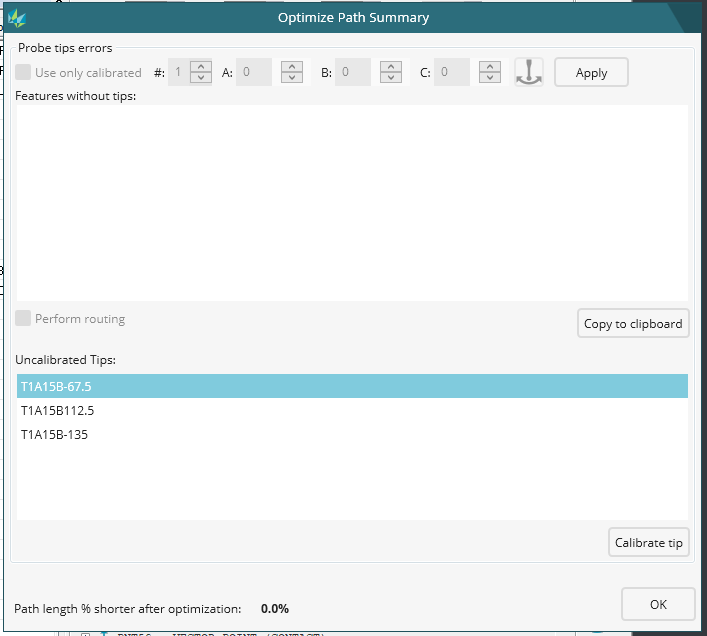
Optimize Path Summary Uncalibrated Tips
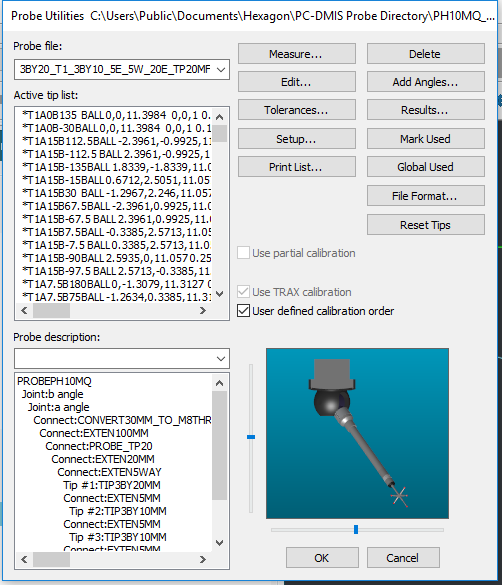
Optimize Path Summary will show a list of Uncalibrated Tips. Uncalibrated tips list shows all the uncalibrated tips used by the optimization. You can click on a tip and click Calibrate tip to open the Probe Utilities dialog box and calibrate the uncalibrated tips.
-
The problem is that the Tip that is selected in the Uncalibrated tips list will not be Highlighted in the Probe Utilities dialog box Active Tip list.
-
Selected the Uncalibrated Tip.
Selected Calibrate tip. Now Enjoy your search.

your measurements
hello
I think it would be nice if you can see during your measurements whether something is right or wrong in enspect.
SQ Inspect 3.1 - Clear password field when user name field is cleared or typed over
Using SmartQuality Inspect 3.1 (install set from PCDMIS 2018 R1)
The password field is not getting cleared if a user clears the user name to enter a new one or types over it. I happen to have two SmartQuality users with the same password.
I can logout from one and actually type the other username and the password
field is still there uncleared from last user login. Press sign in and I am logged in.
We must clear the password field if anything is done to the user name one.

Add ISO286 tolerance choice possibilities (h5, JS6 etc) to new size window, like old location dimension
Add ISO286 tolerance choice possibilities (h5, JS6 etc) to new size window, like old location.
Actual we have a minor bug in 2017 R2 SP5 If we choice outer diameter 8 h5 in location first the minus tolerance appear positive. If we push create after the good negative appear in edit window and reopen the dialog we show negative too. But firstly show positive :-(.
Is new size type
analysis we need to type the tolerance manually. In these place would
be great if we can to input ISO 286 tolerance too...

for the Graphic view, it is better if there is one button to display the GRID
for the Graphic view, it is better if there is one button to display the GRID

Reporting
Hello my name is Daniel Ślosarczyk on pc dmis has been working for 6 years. I miss reporting cad models and cut models in the report. In addition, the report could be more intuitive to make quick screans (see reporting polyworks)
Multiple Pattern Names
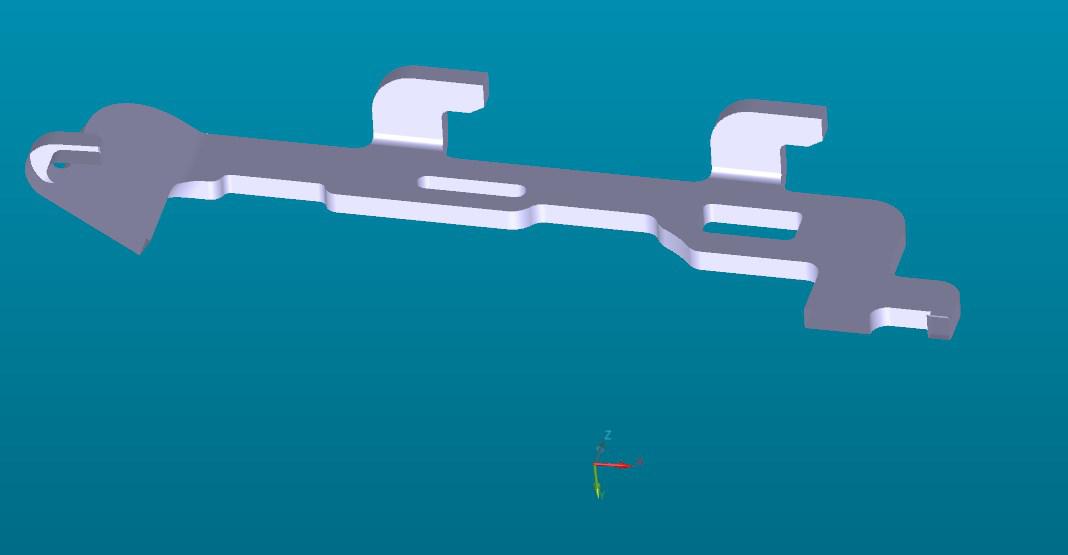
When programming multiple features in order like:
CBORE_1
CBORE_DEPTH_1
HOLE_1
It would be nice if you could copy/paste with pattern this entire pattern and save the names of all not just have everything come up as HOLE_1, HOLE_2, HOLE_3...
Time consuming to rename all of the counter bores and depths.
Customer support service by UserEcho

