Hexagon Measurement SystemsNo matter what Hexagon measurement equipment or software you use, we want to hear your ideas and suggestions on how we can improve.
Thanks for your assistance in helping us shape the future. |
|


 New Summary mode should have sorting functions or options to sort dimension based, command based etc.
The new Summary mode is Great!!!, Many of my customers like it here in Australia. I would like to see PC-DMIS having sort options that automatically sorts the MR based on commands and dimensions, For Ex - I might have added dimensions after each feature and I want all to go after features or end of the program. Similarly, there may be times where I would look for dimensions to go and add at the end of features. Basically, all the analysis views, dimensions, features, etc. should be available for sorting NOT the MOVES and the way the program was written. An optimized path function should be allowed to take care of this. This request is basically for features, dimensions, analysis commands, constructed features ( at the end forex), and for commands which are not affecting the movement of the machine. This should work for all legacy programs as well.
Secondly, the reporting should get updated automatic based on the sorting in the summary window and also it should work for all legacy programs written in older versions - As a 3rd request - if I want to add CAD view for the corresponding dimensions, there should be an option where the CAD views are added based on CAD normal to dimension views instead of me taking Snaps and looking for view sets and add images. I am not sure if this can be a separate request, but, this is how we want to see. automatic and reduce more effort in programming. anyway, thanks for making summary mode neater.



DIN 5480 for Cylindrical Gear is included in the Cylindrical Gear module of the upcoming PC-DMIS Specialised Geometries 2026.2 release.

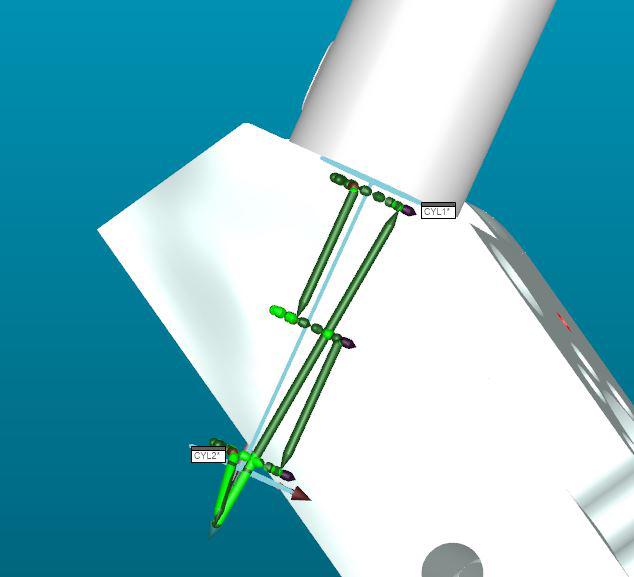
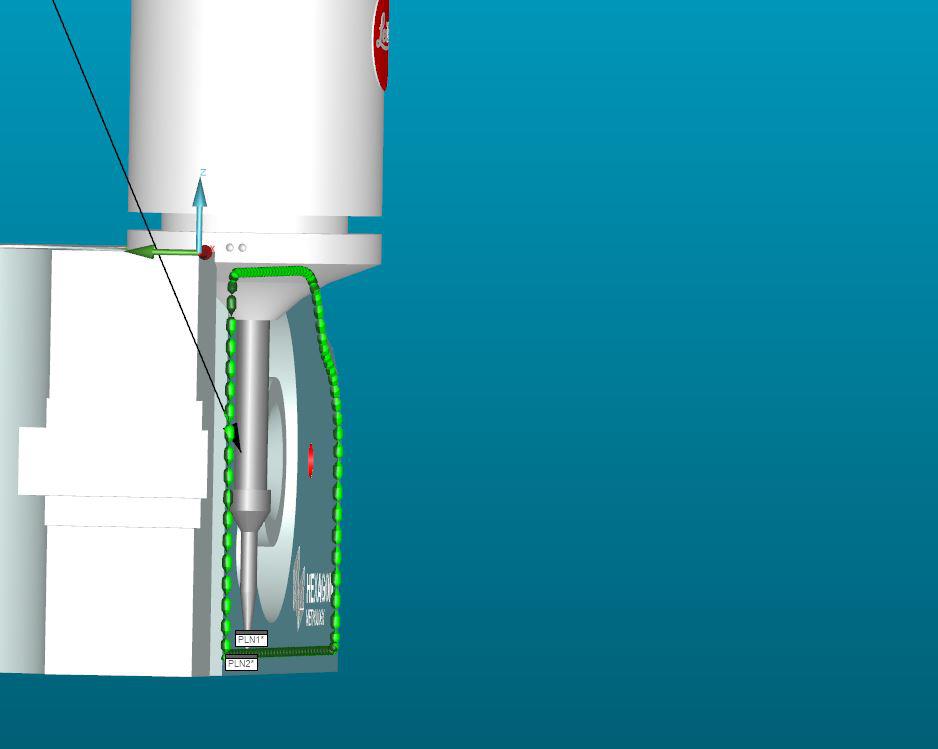
Auto calculate measurement strategy based off of Probe build
I would like to see PC DMIS automatically calculate the ending offset and depth of a cylinder based on the probe length. Similarly, I would like to see this in planes to ensure the measurement path does not cause a collision. This functionality is already present in other metrological software.
Optimize Path to move workplane with 2d location or distance
I would like to see Workplanes be moved with 2d distance, angle, or location dimensions when Optimizing path and moving dimensions to the end of the routine.

Change of name
Hello, is it possible to create a script which allows to modify all the names in PC-DMIS. For example for a PLN element in PL or CIR in CER as well as the geometric tolerances.

Probe Weight warning
Have a warning when the probe that is being built in Probe Utilities may be too long/ heavy for the specified module to calibrate accurately. This would prevent investing the time in an OFFLINE program that will have issues due to the probe build that is specified. Probably needed for both touch and scanning probes. Just need the warning, probably multiple times, don't want PC DMIS to outright refuse the probe build, especially on a marginal case. Just burnt myself with this..... :(

Report only maximum formdeviation from multiple features
When on a cilinder a circularity is asked, it has to be circular in every cross section. So you need to measure multiple circles.
When you dimension the circularity you need to sele3ct them all, and then it will report all the circularities.
It is possible that you get the option to only report the maximum?
This is also applicable to straightness.

Feature used/unused - Check tool
I would like to have a tool - function that can check witch feature are used in program (construction, dimension...) and witch are not and can be deleted to shorten the program. Also which constructions have been broken because the features have been deleted and can also be delated.
I miss the tool that would help me clean the program after changing it.

customized DRF
Hi,
It would be great than the True Position Customized DRF working in any direction. ( Show the right x,y,z,u,v,w)
The help contain :"PC-DMIS requires that the primary datum feature be leveled to Z+, and the secondary datum feature be rotated to X+. "
Now it only works according to the help, but why can't the primary basis Yminus the rotateX minus, for example.
Now I need a datum A [y, u, w] B [x, v] C [z] but it is not possible to show on report.
What the pcdmis displayed A[z,u,v] B [y,w] C [x]
Unfortunately there is always extra time to create different rated, current elements and test whether PcDmis calculates well what we want ...
In this case, it displays wrong but the calculations right. We suggest to develop it.
Thanks!
Сервис поддержки клиентов работает на платформе UserEcho

