Hexagon Measurement SystemsNo matter what Hexagon measurement equipment or software you use, we want to hear your ideas and suggestions on how we can improve.
Thanks for your assistance in helping us shape the future. |
|


 Geotol Profile with Pointclouds
I'd like the ability to use Geotol Profile with Pointcloud data. We can currently use legacy profile with pointcloud colormap data. We need the same with GeoTol.

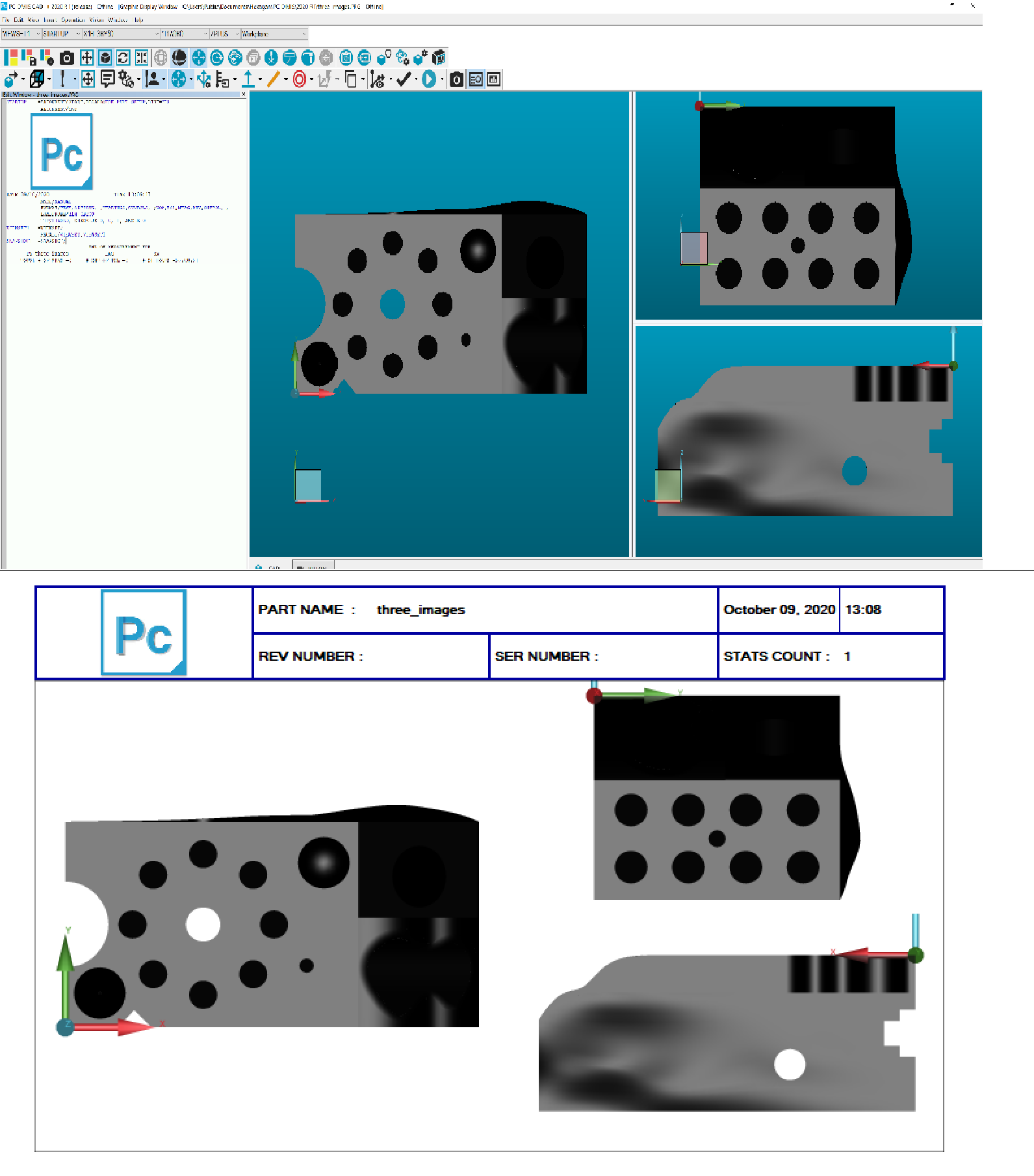
3 different cad views
Is it possible to display Cad x, y and z in one page on (report page?) so using 3 images in one page
I want to see the cad image of 3 dimensions and the size label. such a report format should come loaded on pc dmis.

To be able to not have recents show up on home page
Reason being if im on offline and make a change to the program and an operator on the cmm opens through the recents it opens an old file not the new one with changes.


Offline Variable Data
When I worked with OPEN DMIS there was an option to create variable data when executing a program in offline mode. This was extremely helpful in implementing our data systems before a product was actually built. Is it possible for PCDMIS to implement a feature such as this?

Placing objects in customer reports by defining top left point of object
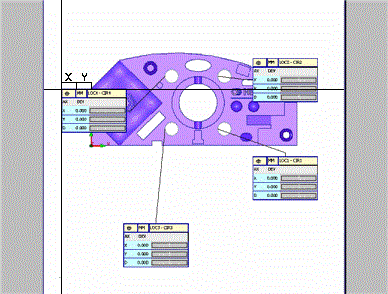
One feature I am missing when editing customer reports is function like this:
Feature would work simply left click on label of dim would open
vertical and horizontal line with small windows X and Y with actual
position where I am hovering dim label like on screenshot and after
adding X and Y coordinate it would place precisely object as I need,
mm precision of placing by this method would by preferable.

SpaceMouse/CadMouse
I would really like to be able to utilize my CadMouse in PC-DMIS. As would people I have talked to that own a SpaceMouse.
There are certain options programmable, though I do not understand why more options are not available. I would like to create a radial wheel that contain the commands I use often.
Also, the option to customize the radial wheel to contain text for which each is programmed as well as having the icons available.
3dConnexion's technical support suggested I write a request in here for this to be a future update.

Make the "Discover"-page accessible from a "non-PC-DMIS" computer
Like the title.
The "Discover"-page in the newer versions of PC-DMIS seems to be a treasure trove of all things PC-DMIS. I don't know, because the CMM computers aren't allowed outside the intranet here and there are seemingly no way to reach this page unless through PC-DMIS, so I have only heard of it - never experienced it.
My humble request therefore is to mirror this page/site somewhere where it can be accessed through a computer with internet access (but not PC-DMIS installed). The hottest suggestion would be to keep it under the PC-DMIS support section or PC-DMIS download section accessed using the username we already have there, unless you would want to make it public.
Thank you.
Change probehead angles without tip qualification
Add "move probehead angle¨ to PC-DMIS without having to qualify the tip. Please see this post on PC_DMIS user forum: https://www.pcdmisforum.com/forum/pc-dmis-enterprise-metrology-software/pc-dmis-for-cmms/466552-move-probehead-angles-only
Thanks.
Service d'assistance aux clients par UserEcho

