Hexagon Measurement SystemsNo matter what Hexagon measurement equipment or software you use, we want to hear your ideas and suggestions on how we can improve.
Thanks for your assistance in helping us shape the future. |
|


 Calibrate Tips and Probes for Program
Add to the calibrate tips feature to be able to calibrate multiple probes for a program as well.

Probe head B angles only
This is a hardware request only.
I'd like to have a probe head with only B angles for rotation of star probes.

Default setting of the calculation type of the elements
Currently, an elemente open always with the setting of the last use.
But since most of the time is the default setting ASME or ISO 1101, it would be an advantage if this be can adjusted in advance.
I would suggest here to insert an pullup meneu in the menu „NEW“ where the default setting of the elements can be preset.

Add a key in the quick Measurement Strategy Widget where you can difine samble hits .
Add a key in the quick Measurement Strategy Widget where you can difine samble hits ,for now it can't change the sample hits in PC-DMIS R2 with just 0 spacer. Or allow the programer change the hits position manually with the intuitive path line displayed.


PC-DMIS Community
It could be grat to create a community for PC DMIS users where anyone can share his own problems, questions, examples, passion, experience...
This could help users in every day small problems and increase abilities of anyone that uses this software, in both big or small working reality.
The community can't take the place of the assistance service, but it may be helpful too.


Make Feature outlines follow their shape on the cad like Polyworks
In Polyworks, when you create a plane feature, the plane is represented by a gridded lines all across the defined surface, so that when you turn off the cad, you can still see these lines showing the shape of the feature, not just a tiny triangle or an outline showing just points. All features have this. In my example, you can clearly see the plane, cylinder and sphere are actually drawn on screen to look like what they are, and not just two circles connected by the axis or a two crossed circles like a gyroscope.
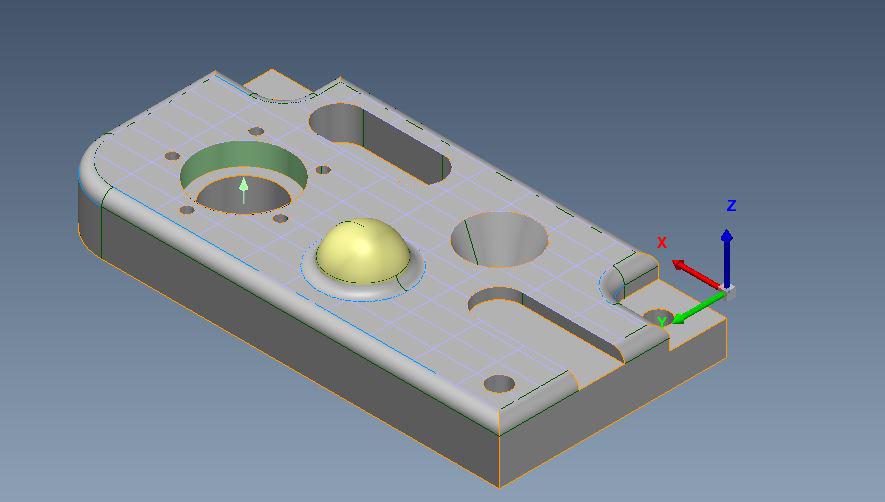 Features with Cad On
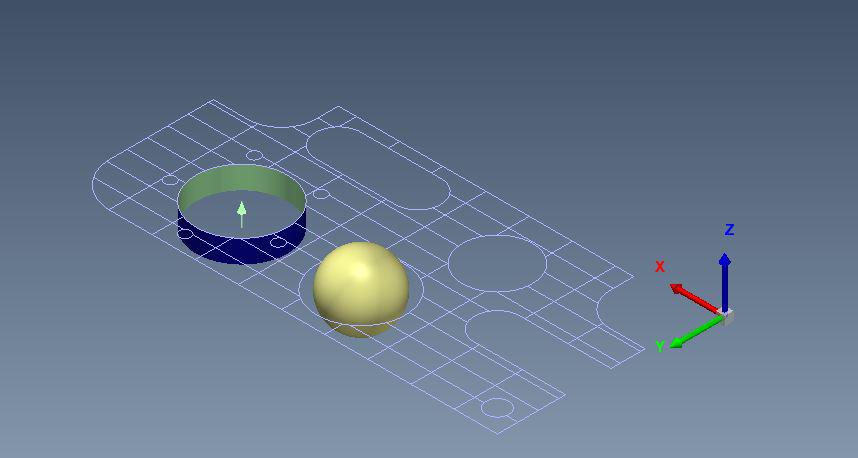 Features with Cad Off
This would be very helpful to visually reference where you are when you need to turn the CAD off to program and is more intuitive than the minimal outlines we currently have.

Additional excel functionality
Full integration of excel templates into PC-DMIS
- Maintain formulas in the template
- Keep previously made excel charts in the output
- After the 5 piece study is complete have the option to make a new file, or continue adding more runs

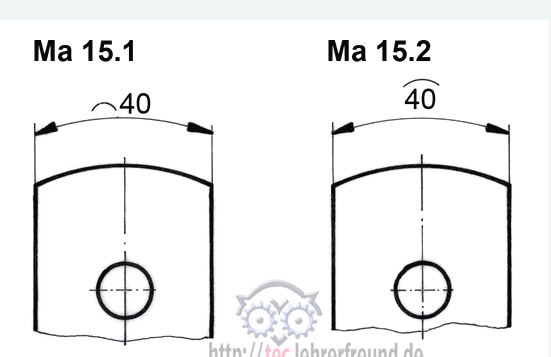
I want to measure an arc length, the feature or function is missing.
see example:
Сервис поддержки клиентов работает на платформе UserEcho

