Hexagon Measurement SystemsNo matter what Hexagon measurement equipment or software you use, we want to hear your ideas and suggestions on how we can improve.
Thanks for your assistance in helping us shape the future. |
|


 Allow comment to be added to explain/mark bad results
Customer Request
Trend reports are very important for their operators. They mentioned wanting some kind of way to mark events so that they can understand why dips might have happened (or able to isolate out dates where you know why parts dipped out of tolerance and are not relevant)
Merge data from two programs into one report
Customer Request
Want the ability to merge two reports together. They can have 2 routines for one part, so merging would make it easier to share with customers. (They do this today by cut and pasting in Excel)

Allow previous runs of a specific sample to be ignored for statistics
Dear sirs,
i have 2 recommendations (if not implemented on pro version):
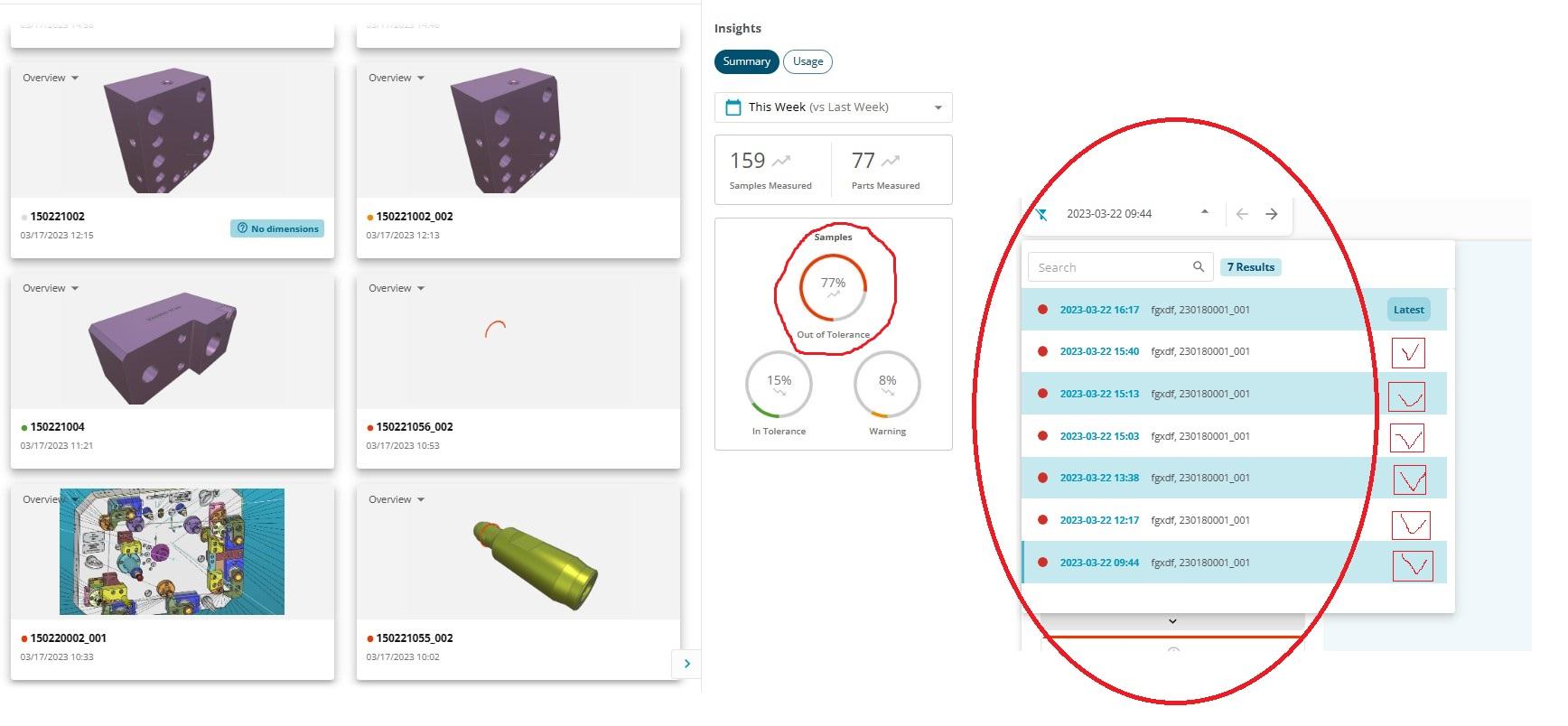
The idea is to have the possibility to engage or not previous measured samples, why? Because in certain situations we don't want to consider the several times that the same program runned as different parts with same reference, that is, in the case of an iterative measure and tunning of an assembly we just want to consider the last one for the general statistics...

Ability to manage speed of simulation
I would be so handy if the speed of simulation in off-line mode is manageble over a slide by mouse or by arrow up / down buttons. So I can high-speed trough for example a multi-hole pattern.

Be able to see the coordinates of the mouse pointer
When I have used the scanner, I would like to see the coordinates of the pointer.
If I could, after defining the koordinatsystem, it would be very easy to check some dimensions just by hovering the pointer abow the cloud.

Adding a + sign to constructed features to see the points that create circles, cylinders and cones...etc..
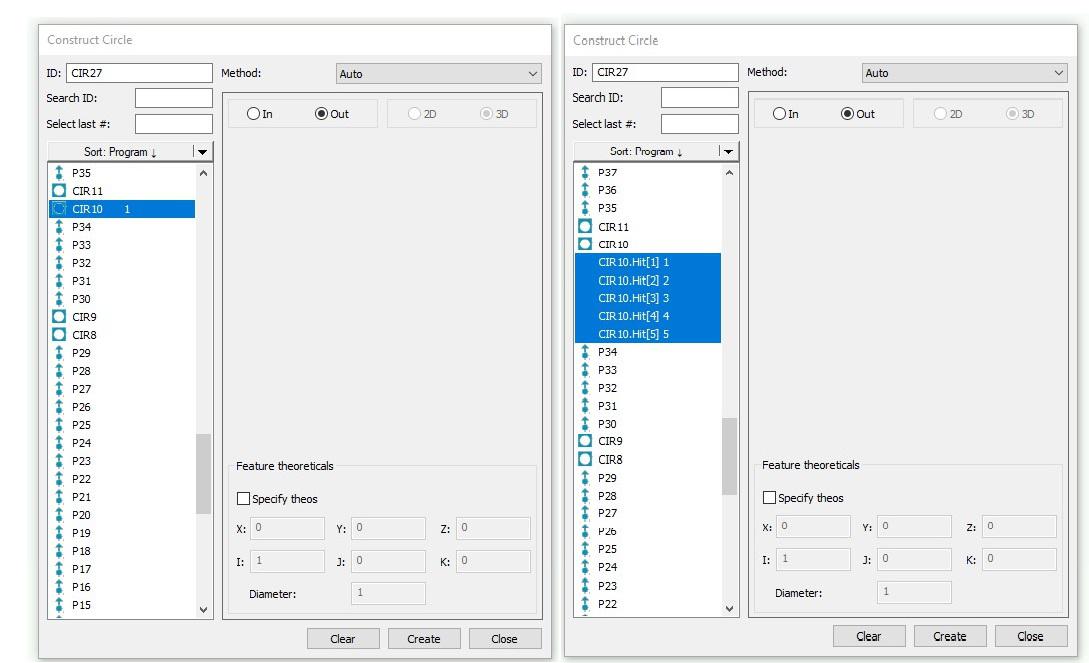
I'd like to see an option to pull the points out of a circle without having to click on the cad to do so. When i am inside my constructed feature, i wish i could just click the circle and maybe a plus sign next to it so i can get a drop down of what auto points were used to create the circle.

I would like to see a que area that you can drop multiple cmm programs into and run those programs in the that order.

Location Icons at SFX iPhone App too small and hard to see. Size should be bigger and color a bit brighter

Copy/Paste Parameters with option what to paste
When you Copy/Paste Parameters it will copy the whole set of parameters.
When you have let's say 100 holes which all have a different Sample Feature, and you want to change the Depth with Copy/Paste Parameters, ity will change everything, so also the Sample Feature.
So now I have to choose to manual change all Depth or manual change all Sample Feature.
Is it possible to have the option to select what parameters you want to paste?
With a popup menu or something like that?

Import new cad (step) use current program
I have a new REV and I want to Import the newest CAD (STEP FILE) and use the same program I've already written. Can anyone advise? Thank you.
Kundesupport af UserEcho

