Hexagon Measurement SystemsNo matter what Hexagon measurement equipment or software you use, we want to hear your ideas and suggestions on how we can improve.
Thanks for your assistance in helping us shape the future. |
|


 Support single database for all machine data
have a function where you can retrieve data from multiple machines (parts) and have it displayed on one screen, like you had in Metrology Reporting?

Automatic settings for UPR and cutoff wavelength
I absolutely love the automatic scanning parameters based on size/position/form in PC-DMIS. It's a set it, forget it thing for me. However, when it comes to the gaussian filter settings, things can get complicated. The general rule is that you need at least 7 points per undulation/wavelength. A lot of the literature talks about a given UPR/wavelength, and then changing the number of points scanned accordingly. However, the point density is automatically determined based on size/position/form, and you have little influence on the scanning path. The number of points therefore is set, and you need to change the filter settings accordingly. I use a little Excel sheet where I can enter the point density per millimeter that PC-DMIS has cooked up for me (you also need to enter the diameter for round features). The sheet will spit out the filter settings based on 8 points per undulation/wavelength (1 more than the minimum). This has worked very well for me, but it's a lot of work to set up for each feature. It's also easy to forget. Especially when scanning large diameters this can cause problems. Filtering a 500mm diameter with a point density of 6 with only 15 UPR is not ideal...
In summary: I'd love to see some kind of optional setting where you can change the filter strength based on the points per undulation/wavelength, rather than some absolute value that doesn't tell you anything without knowing the scanning density and diameter of the feature. 7 would be the minimum setting, to help prevent novices from filtering wrong. People like myself could set it to 8 and make it default. If you need a more aggressive filter, just increase the points per undulations/wavelength. Or just enter the UPR or wavelength manually, if that's your jam.

Option to Turn Off Results Going Red if Not Measured
Have a way to turn off the results going red if you do not measure them, so you don't have to remeasure the entire part necessarily to turn the other results back to black and not appear out of spec in red.

Select Probe Mode: Question pop up of moving cursor to end of routine, Option: to ask again or not, (to be under Warnings, in F5 settings)
After selecting probe mode, and cursor is not at the end of the routine, the pop up that asks whether to move cursor to the end of routine, should have the option to ask again or not, and have the answer stored in Warnings under F5 settings.

New GeoTol available as JIS (Japanese Industrial Standards) or local Industrial standards.
It is often necessary to load PMI for local national standards.
We want to provide many customers with an efficient experience of easily creating routines from CAD files, either directly or through optional changes to the way GD & T is calculated.

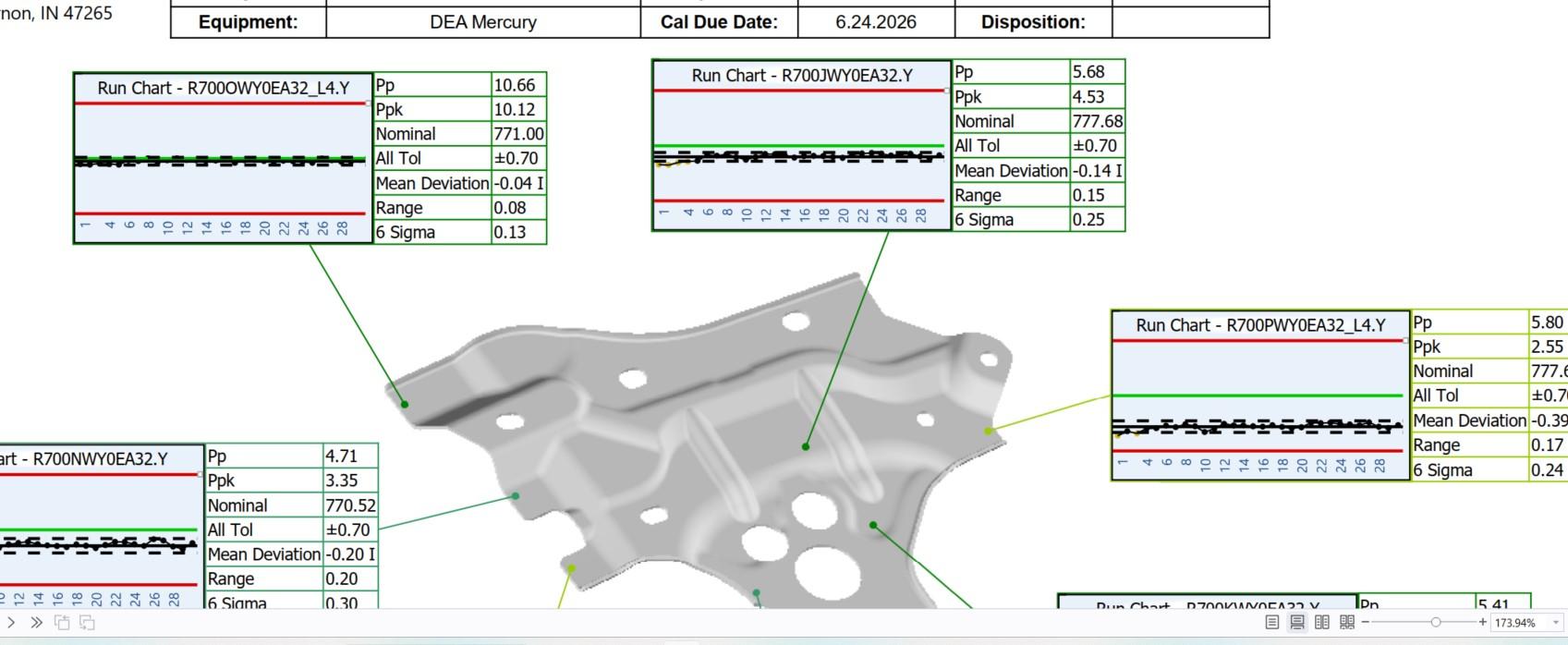
Add the ability to create a run chart report for selected parts that have been laid out.

Generci file txt
Przywrócić do PC-DMIS możliwość exportowania wszystkich wymiarów do pliku txt.
Od 2022 nie generuje wymiarów typ pozycji prostopadłosć itp.
Restore the ability to export all dimensions to a txt file to PC-DMIS. As of 2022, it no longer generates dimensions for position type, perpendicularity, etc.

Add a filter for Features
I would like a options to quickly hide all scans, or all lines or any other features. I miss a filter where I can select a type of feature to hide or to show (if hidden).

Excel from Templates need to be able to be saved on a network location for multiple CMM.s instead of the local C: Drive for the template location.
When pulling in a Excel from template, one should be able to direct the look up for the templates to a network location and not just the c: drive. In a company with multiple CMM's one would need to maintain a template on several CMM's hard drives instead on one network location to pull the template from. Can this be added in the next revision?
Remaining Travel + Next Action Display for CMM
I suggest adding a “remaining travel” and “next action” display for the 3D CMM, similar to what we have on CNC lathes and milling machines. This would give a clear overview of where the machine will move next, helping to avoid collisions and making it easier to follow what happens during program runs or teaching.
Thanks for considering this! Edit: I accedentally suggested this on Hardware so I wanted to resuggest it here too.
Customer support service by UserEcho

