Hexagon Measurement SystemsNo matter what Hexagon measurement equipment or software you use, we want to hear your ideas and suggestions on how we can improve.
Thanks for your assistance in helping us shape the future. |
|

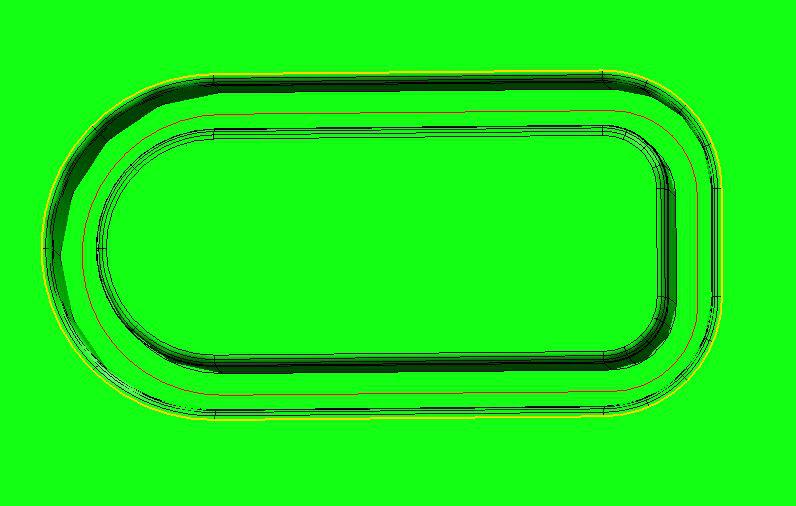
 Surface scan following the curve on the surface
I would like the option to scan the surface following an irregular, or made up of geometric shapes curve (red) that is on that surface all the way around (sample on the picture)

Start program dialog
PCDMIS should have some customisable deafult run program dialog. For general data inputing before measurment starts, like Operator, machine, sample number, reason for measurtment, etc.
Those dialog shoud be changeable with some Scripting editor or throu some ini file.

Have the recent file menu show the last 10 programs executed instead of just the last 4.
Shouldn't be that hard to do. Lets get it done for 2017 guys.

Add values for assignments
It would be great to add .PA, .PR in extensions for hits, arrays (...)in assignments.

Allow theoretical numbers to be locked on individual features
Allow theoretical numbers to be locked on individual features making it possible to prevent them from changing. This would give us a more elegant solution than turning a theoretical number into an expression by dividing by 1.

Create an actual model from a point cloud
I would like actually create surfaces based on a point cloud

enlarge or resize distance window
Could the distance window could be enlarged or resizable, this would be easier to see more points to select.
So you don't have to scroll down and up every time.

Ability to share support cases between users of the same company
Ability to have a PC-DMIS customer case account manager allowing a team of users (same company) to access any Nexus case created by any user in the team. This would avoid double-submission of same issue by multiple users and increase visibility of known issues.

Sphere - Default Measurement Strategy - Avoidance move
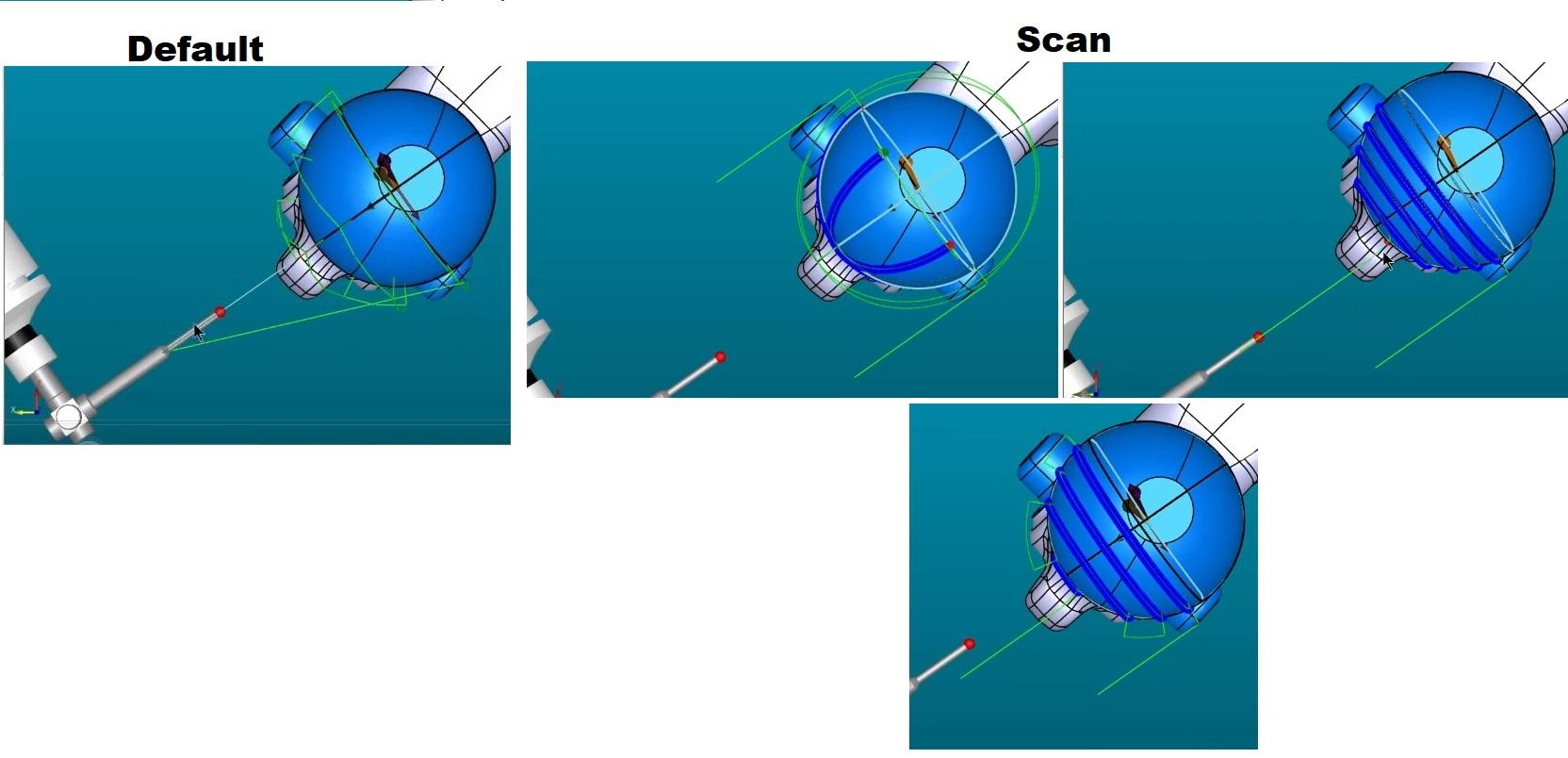

Enhanced Move Point Creation Along Surface Point Vector in PC-DMIS
I would like to submit a feature request for a future update of PC-DMIS. The goal is to improve programming efficiency and safety by introducing an option to create a Move Point directly along the vector of a selected point or surface.Currently, creating clearance or approach moves often requires manual coordinate calculation (\(X, Y, Z\)) or utilizing complex expressions to offset a position relative to a measured point. Introducing a native "Move Point Along Vector" feature would significantly streamline this workflow.
Proposed Functionality & User Interface Integration
- Context Menu / Dialog Option:
- When creating a
MOVE/POINTcommand, users should have a checkbox or dropdown option labeled "Along Vector" or "Offset by Vector". - Alternatively, right-clicking an existing point feature (e.g.,
PNT1) could offer an option: "Create Move Point Along Vector".
- When creating a
- Input Parameters:
- Reference Feature: The source point or surface from which the vector is derived (e.g.,
PNT1). - Distance (Offset): A positive or negative numerical value representing how far along the vector the Move Point should be placed.
- Positive value: Moves away from the surface (clearance/retract).
- Negative value: Moves toward/into the surface (approach).
- Reference Feature: The source point or surface from which the vector is derived (e.g.,
- Code Execution / Command Line Representation:
The command in the Edit Window could look similar to this:pcdmis
Kód používajte opatrne.PC-DMIS would dynamically calculate the absolute \(X, Y, Z\) coordinates based onMOVE/POINT, ALONG_VECTOR, FEATURE=PNT1, DISTANCE=50.0PNT1.X + (PNT1.I * 50),PNT1.Y + (PNT1.J * 50), andPNT1.Z + (PNT1.K * 50).
Key Benefits
- Increased Efficiency: Eliminates the need for manual math or writing custom expressions for simple approach and retract moves.
- Improved Safety: Reduces human error when calculating clearance points on complex, angled surfaces.
- Parametric Flexibility: If the nominal position of the reference point changes (e.g., due to a CAD update or alignment shift), the Move Point updates automatically because it is linked to the feature's vector.
- Cleaner Code: Replaces complex script-like workarounds with a clean, native PC-DMIS command.
Thank you for considering this request to enhance the offline and online programming experience in PC-DMIS.
Service d'assistance aux clients par UserEcho