 Ideas
Ideas
+1
Sphere - Default Measurement Strategy - Avoidance move
Nicolas Gomez 3 weeks ago
in Metrology Software / PC-DMIS
•
updated by Sudhanshu Trivedi 2 days ago •
4
Customer support service by UserEcho


Path Definition tab - Please make the focus (cursor blinking) switch pressing Tab keyboard:
1.- Type Latitudinal Path and Latitudinal Spiral
From Rows to Path Density - to Start Height - to End Height - to Generate - to Add Path - to Rows.
2.- Longitudinal Path Slices >=2
From Slices to Path Density - to Angle Delta - to Generate - to Add Path - to Slices.
3.- Longitudinal Path Slices =1
From Slices to Path Density - to Distance Offset - to Generate - to Add Path - to Slices.
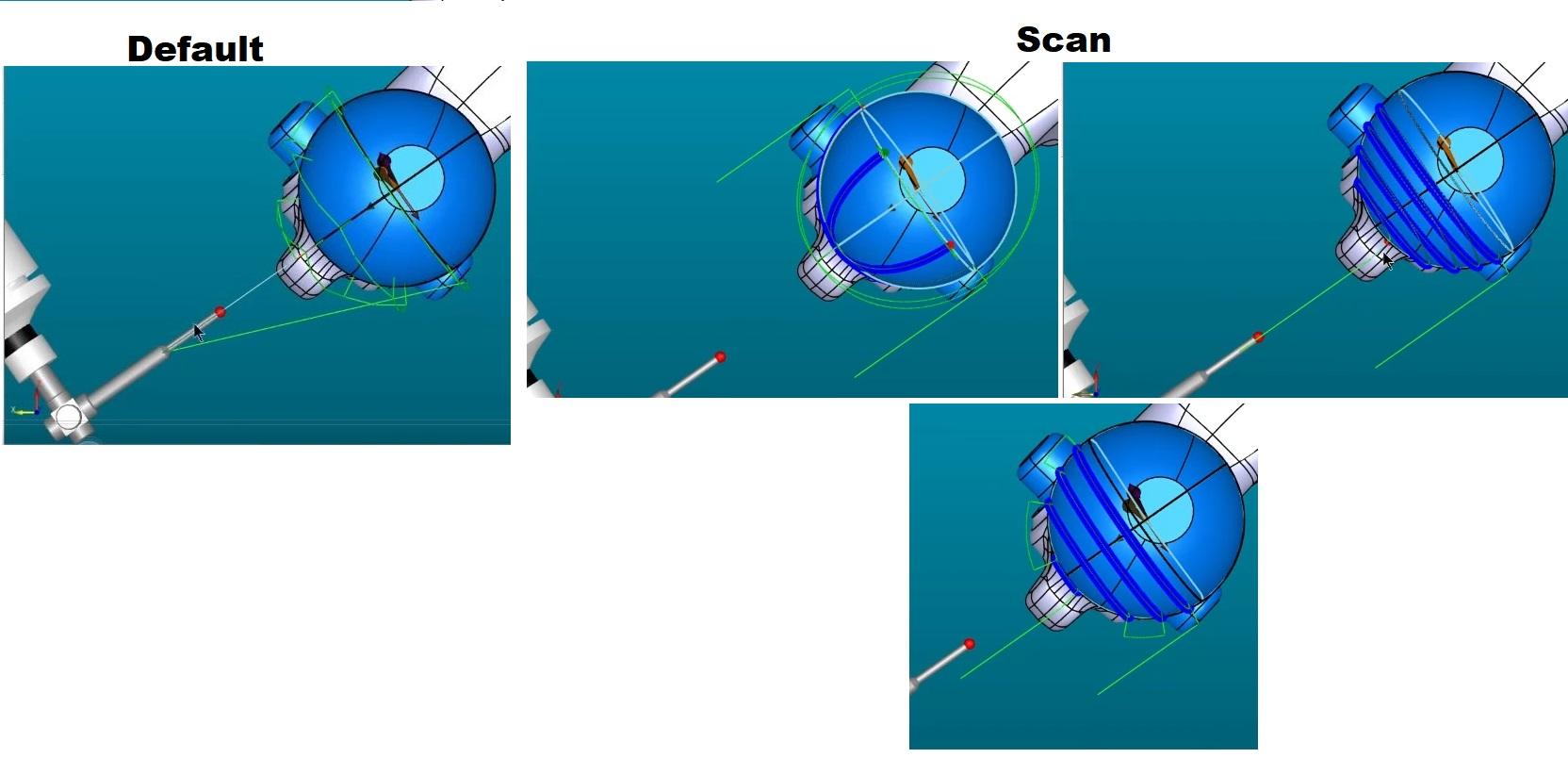
Nice that "You can combine multiple path types in a single scan path", it would be nice if we can visualize paths on top of the sphere and to be able to report it in any CAD CMM report so everyone can visualize the area used to evaluate it.
Path lines are supported.
Yes, the feature looks beautiful in the graphics window and works great for us, programmers! My feedback is specifically about reporting capabilities.
Currently, the generated report doesn't display the path lines (the blue areas/lines shown in the video) on top of the sphere, which makes it hard for others to visualize how it was evaluated. It would be highly beneficial if the default Measurement Strategy supported reporting these points directly on top of the sphere.
While I know we can create and visualize individual points manually, it would be much faster and easier if we could use the 'To Points' option after setting parameters. However, the 'To Points' option is currently unavailable for Spheres. Path Lines Video
Have you explored custom report?
I am suggesting you to explore if this can satisfy your need as of now. You need to create this report once. Snap shot supports custoe report.