Hexagon Measurement SystemsNo matter what Hexagon measurement equipment or software you use, we want to hear your ideas and suggestions on how we can improve.
Thanks for your assistance in helping us shape the future. |
|


 Select Probe Mode: Question pop up of moving cursor to end of routine, Option: to ask again or not, (to be under Warnings, in F5 settings)
After selecting probe mode, and cursor is not at the end of the routine, the pop up that asks whether to move cursor to the end of routine, should have the option to ask again or not, and have the answer stored in Warnings under F5 settings.

New GeoTol available as JIS (Japanese Industrial Standards) or local Industrial standards.
It is often necessary to load PMI for local national standards.
We want to provide many customers with an efficient experience of easily creating routines from CAD files, either directly or through optional changes to the way GD & T is calculated.

Generci file txt
Przywrócić do PC-DMIS możliwość exportowania wszystkich wymiarów do pliku txt.
Od 2022 nie generuje wymiarów typ pozycji prostopadłosć itp.
Restore the ability to export all dimensions to a txt file to PC-DMIS. As of 2022, it no longer generates dimensions for position type, perpendicularity, etc.

Add a filter for Features
I would like a options to quickly hide all scans, or all lines or any other features. I miss a filter where I can select a type of feature to hide or to show (if hidden).

Excel from Templates need to be able to be saved on a network location for multiple CMM.s instead of the local C: Drive for the template location.
When pulling in a Excel from template, one should be able to direct the look up for the templates to a network location and not just the c: drive. In a company with multiple CMM's one would need to maintain a template on several CMM's hard drives instead on one network location to pull the template from. Can this be added in the next revision?

Remaining Travel + Next Action Display for CMM
I suggest adding a “remaining travel” and “next action” display for the 3D CMM, similar to what we have on CNC lathes and milling machines. This would give a clear overview of where the machine will move next, helping to avoid collisions and making it easier to follow what happens during program runs or teaching.
Thanks for considering this! Edit: I accedentally suggested this on Hardware so I wanted to resuggest it here too.

Datum modifiers for perpendicularity if datums are features of size
PC-DMIS doesn't allow datum modifiers for perpendicularity on features of size. we see this a lot and would like to see this capability added on.

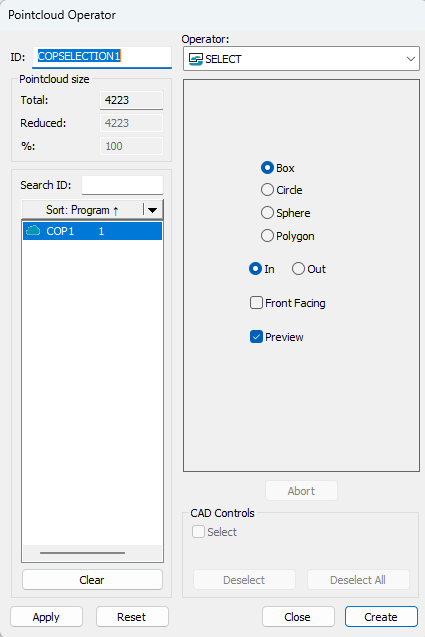
Pointcloud Operator (select funktion)
In select function menu I like to have a "multi select funktion".
So I don't need to reset the cloud every time I need several section.
Point cloud alignment
Customers who manufacture plates for hydrogen fuel cells or heat exchangers usually want their tool halves to be aligned according to the following principle.
1. The tool is aligned with a probe.
2. Then it is scanned with a laser (HP-L-10.10)
3. A Refine alignment is performed with the point cloud.
4. A primary plane is extracted from the point cloud.
5. Aligns as Z primary and Z zero.
6. Evaluates
However, this procedure is not correct as the plane is not exactly parallel to the pattern!
Of course, you can extract points and use these for XY and Z rotation, or construct "alignment features", but I want to use all the points in the pattern area in a easy way.
What I want is more possibilities in the point cloud alignment so that I can control/adjust my alignment better.

to points on all features
Can we have a 'to points' added on all features.
would be helpful.
Customer support service by UserEcho

